Learn the concept
This is the step-by-step. For what it is and how it fits the bigger picture, read Bill Payments in the reference.
This is the step-by-step. For what it is and how it fits the bigger picture, read Bill Payments in the reference.
What this does
Use Vendor Prepayment to pay a vendor before they bill you. Cloudby holds the advance as a Vendor Deposit, ready to apply to bills later.
Before you start
You need the vendor, and the account the money leaves.
Open Vendor Prepayment
Go to Menu > Finance > Vendor Prepayment.
Steps
- Click Create and pick the Vendor.
- Enter the Amount, a Description and the Date.
- Set Issue By and the Issuing Account, with Payment Details.
- Use Make Payment to pay it, and Approve when ready.
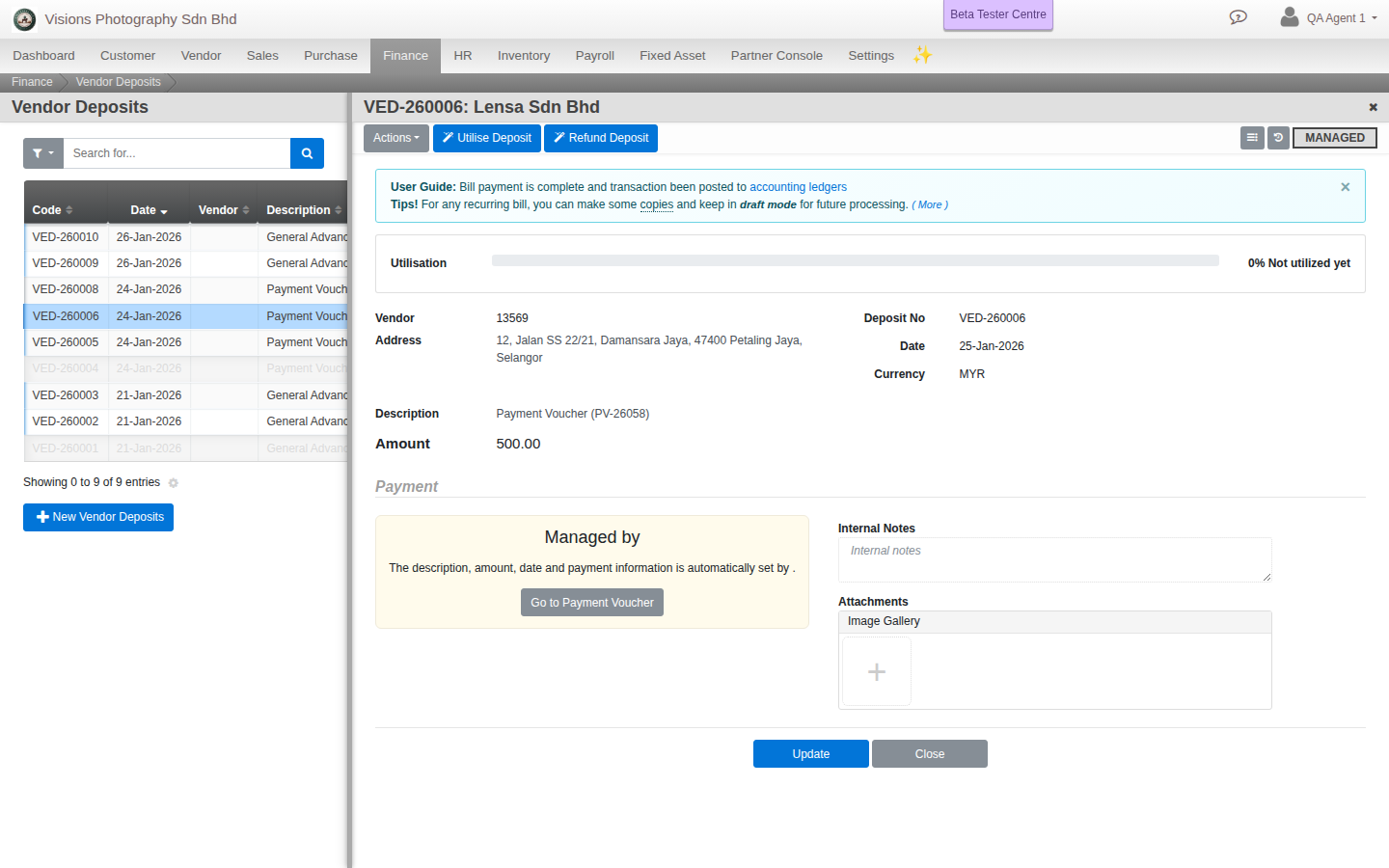
Using the advance later
Open the deposit and choose Utilise Deposit to apply it to a vendor bill, or Refund Deposit to get unused money back. A bar shows how much is left.
Good to know. The advance sits in your Vendor Deposit account (an asset) until you utilise or refund it.