This is the step-by-step. For what it is and how it fits the bigger picture, read Financial Reports in the reference.
What this does
The General Ledger shows every posting to one account, line by line, with a running balance. The Subledger goes further for accounts like Account Receivables and Account Payables — it groups the same postings by the customer, vendor or other party behind them, so you can see who owes what.
Open them
Go to Menu > Finance > Explorer > General Ledger (or Subledger). They are two separate screens, each listing every ledger on the left — pick one to open its detail on the right.
General Ledger
- Pick a ledger from the list, e.g. a bank account.
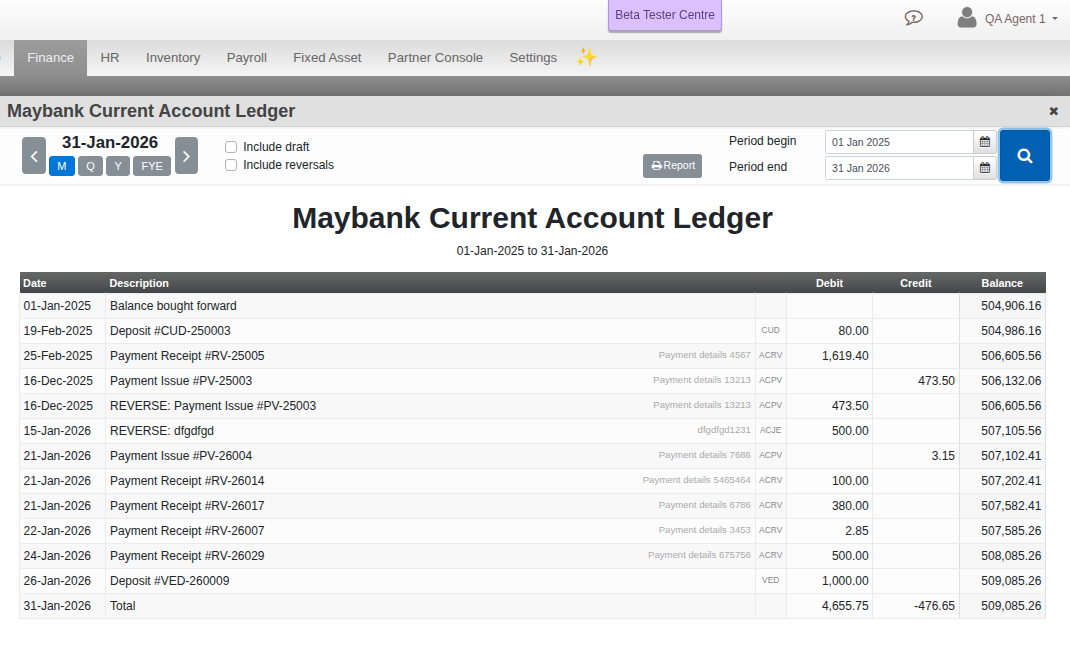
- Set the Period begin and Period end, tick Include draft or Include reversals if you want them counted, and search.
- Each row shows Date, Description, Debit, Credit and a running Balance. Click a row to expand it in place and see the full journal entry behind it.
Subledger
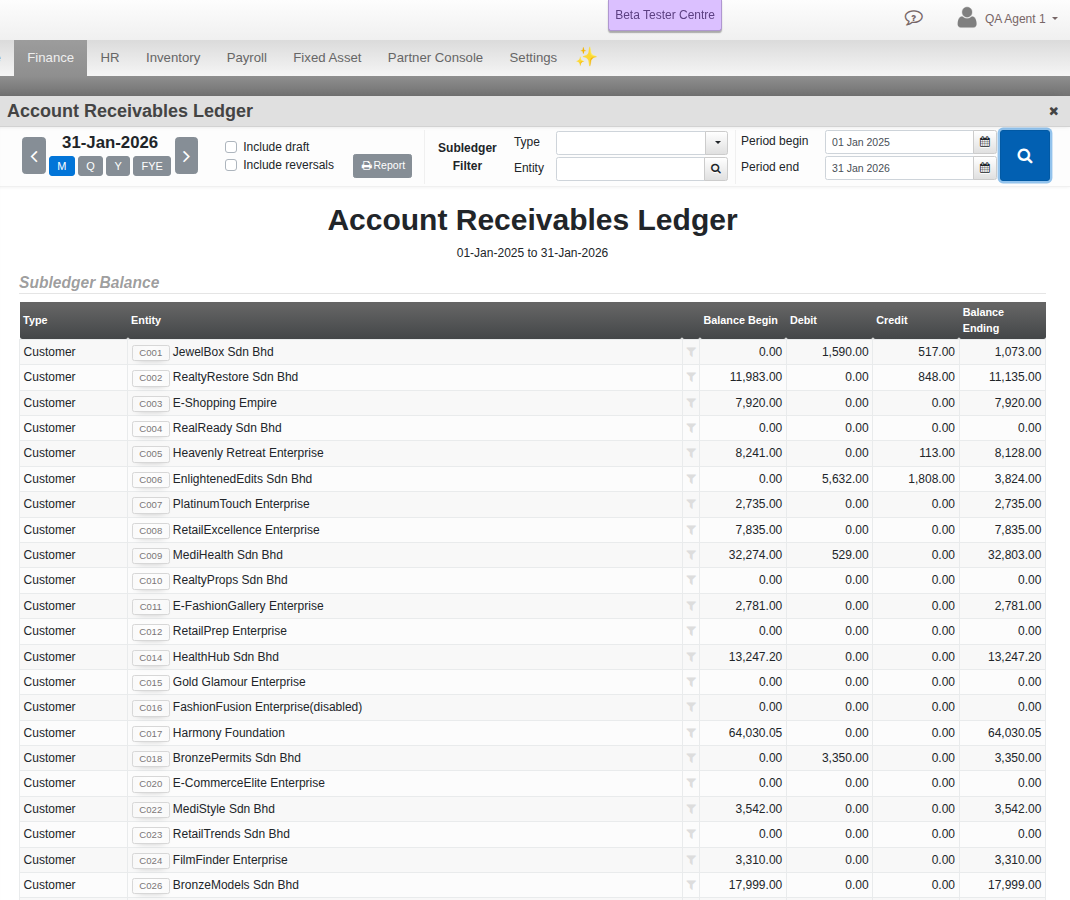
Open the same kind of screen from Subledger instead. On a receivable or payable ledger you get an extra Type and Entity filter, and a Subledger Balance table above the entries — one row per customer, vendor or other party, with their own Balance Begin, Debit, Credit and Balance Ending. Click a row’s filter icon to narrow the entries below it to just that party; a second click clears the filter.