Learn the concept
This is the step-by-step. For what it is and how it fits the bigger picture, read Configurator Preset in the reference.
This is the step-by-step. For what it is and how it fits the bigger picture, read Configurator Preset in the reference.
Setup task
What this does
A configuration preset is a ready-made pack of settings you apply to an organisation in one place, instead of setting everything up by hand. It is the quickest way to get a new organisation ready for its country.
Open Configurator Preset
Go to Menu > Settings > Maintenance > Configurator Preset.
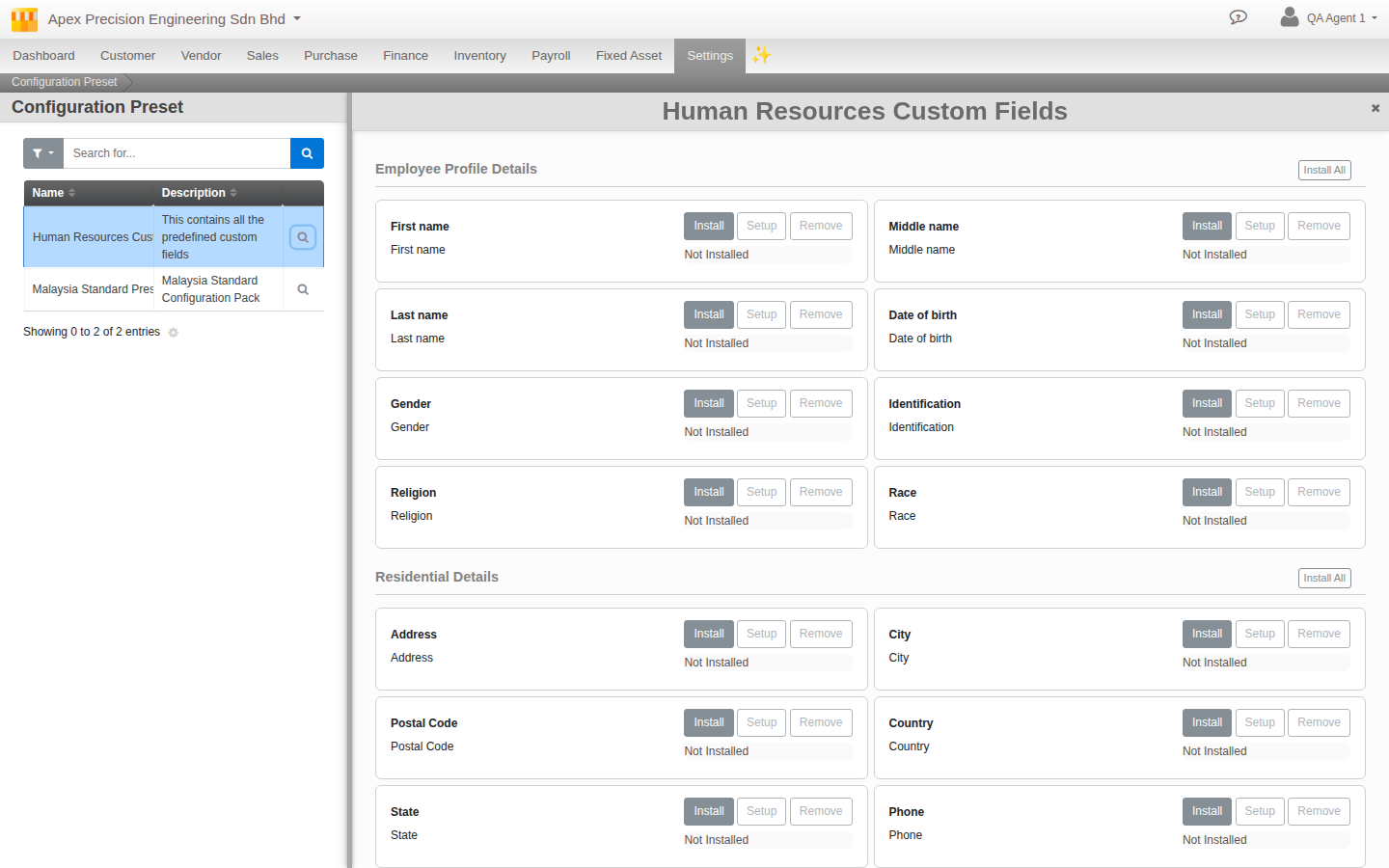
What a preset can set up
Presets are country-focused (for example a Malaysia Standard Preset) and can install:
- Custom fields for customers, vendors, employees and sales documents.
- Payroll items and the statutory setup (EPF, SOCSO, EIS, PCB).
- Document templates for printed documents.
- Chart of accounts and tax fields (SST, TIN and the rest).
Steps
- Filter the presets by Country and Module to find the one you want.
- Open a preset to see its items, grouped into sections, each showing its current status.
- Apply items with the action buttons (Install, Setup, Enable, and so on), one at a time or a whole section at once with Install All.
Good to know. Presets are ready-made packs that ship with Cloudby; you apply them, you do not build them. Apply a preset to an organisation after it is created, then fine-tune the settings it installed in their own screens.