Learn the concept
This is the step-by-step. For what it is and how it fits the bigger picture, read Document Numbering in the reference.
This is the step-by-step. For what it is and how it fits the bigger picture, read Document Numbering in the reference.
Setup task
What this does
Document numbering sets the reference format for every document Cloudby creates, so your invoices, orders and the rest are numbered the way your business expects. The list runs well beyond sales and purchase documents: organisation records like Director and Location, finance entities like Tax Setup, Period Close, Ledger, Journal Entry and Contra, and every other numbered record in the system each get their own row and their own independent format.
Open Document Numbering
Go to Menu > Settings > Maintenance > Document Numbering.
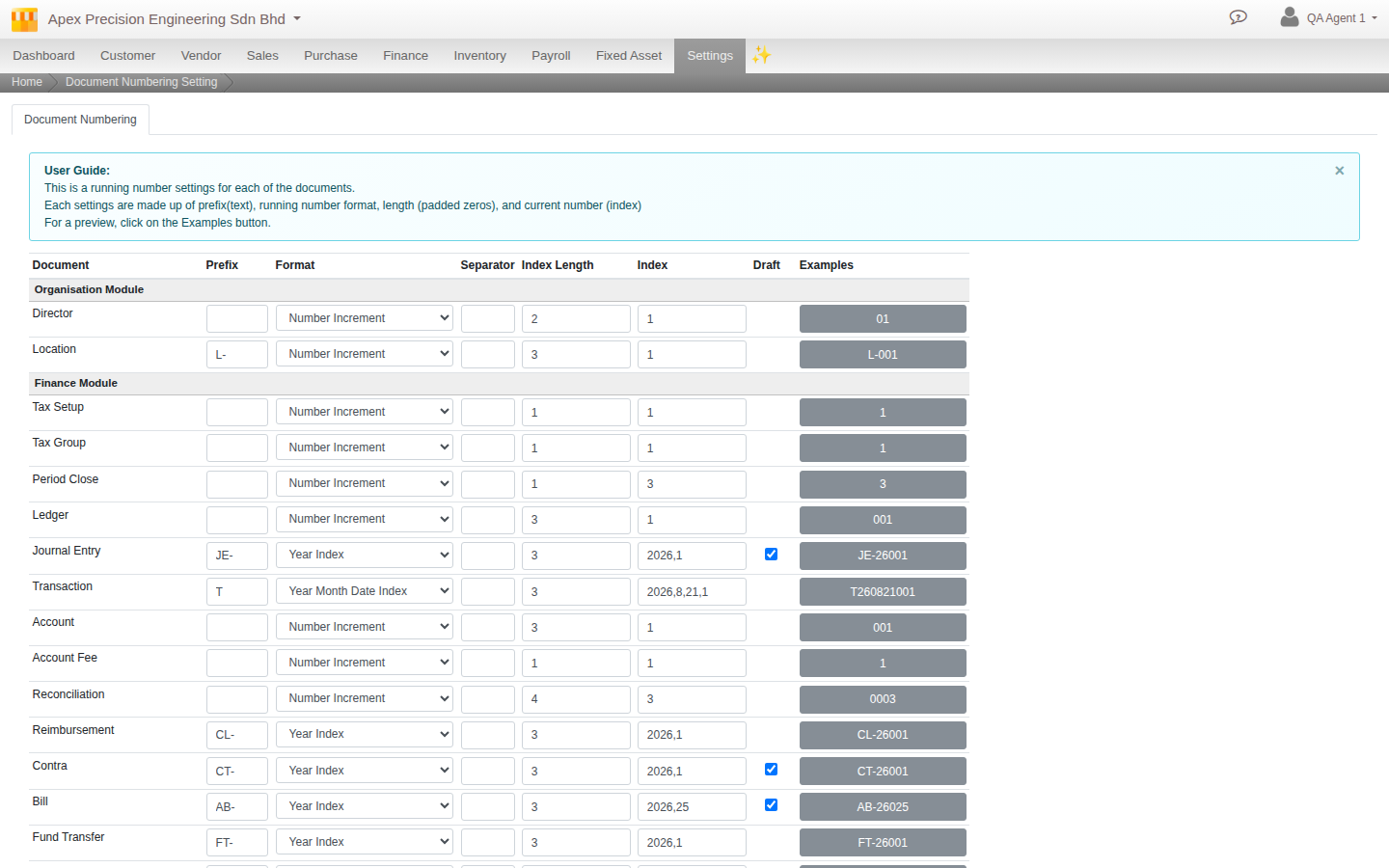
What to set, per document type
- Prefix and Separator. The leading text and how parts are joined, for example AB and a hyphen.
- Format. How the running number is built. Nine patterns are available: Year Index, Year Month Index, Year Month Date Index, Number Increment, Hexadecimal Increments, Alphabet Increment, Alphanumerical Increment, Random Numbers, and Random Alphanumerical.
- Index Length. How many digits the running number is padded to, for example 3 turns 1 into 001.
- Index. The current position in the sequence, which you can also use to set where counting starts.
- Draft. A checkbox that appears only for document types that support pre-assignment (invoices, orders, bills, journal entries and the rest of the transactional set), not for master-data records like Director or Ledger. Checked gives a document its number while still a draft; unchecked assigns it only once the document is posted.
The Example column on the right of each row always shows the live result as you change any of these fields.
Good to know. Numbering is set independently for each document type, so quotations, invoices, purchase orders and payroll runs can each follow their own pattern, and changing one type’s format never touches another’s.