Learn the concept
This is the step-by-step. For what it is and how it fits the bigger picture, read the reference in the reference.
This is the step-by-step. For what it is and how it fits the bigger picture, read the reference in the reference.
What this does
A Bill of Materials is the recipe for a built item: the components and quantities that go into one finished unit. With it you can assemble kits and build products, turning components into finished goods.
Define the recipe
Go to Menu > Inventory > Master Data > Bill of Materials and click Create.
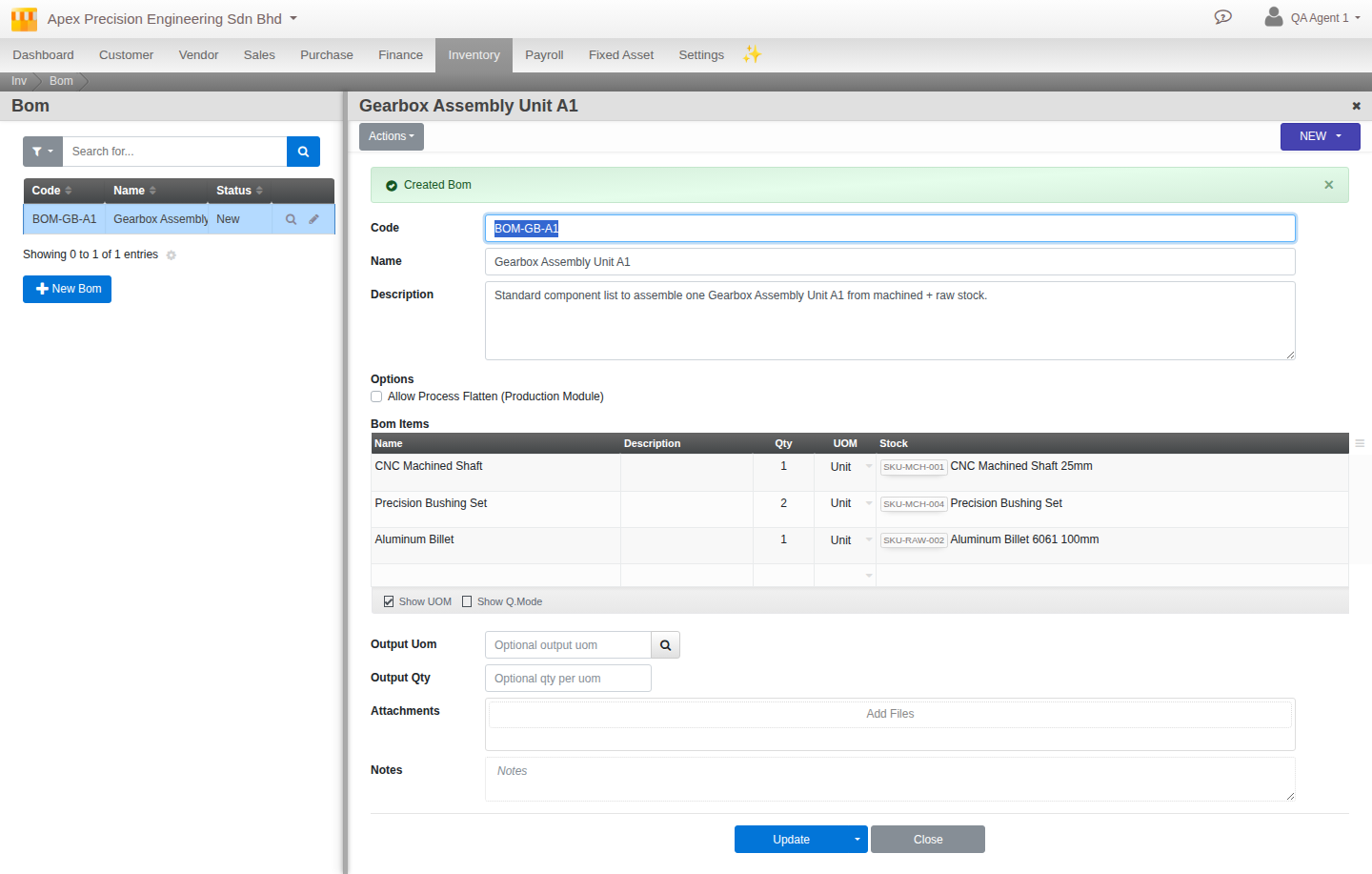
What to set
- Code and Name. The recipe identity.
- Components. Each child item and how much of it one build needs.
- Output Qty and Output UOM. How much finished stock one run produces, and in what unit (defaults to one).
- Allow Flatten. When on, a recipe made of sub-recipes is flattened down to raw components during production.
Plan and build
Use Menu > Inventory > BOM Planner to work out, for a target quantity, what components you need and whether you hold enough. The build itself runs through an adjustment entry against the recipe: components come out of stock, the finished item goes in, and the cost rolls up.
Kitting. A simple kit (several items bundled and sold as one) is just a bill of materials with those items as its components.