Learn the concept
This is the step-by-step. For what it is and how it fits the bigger picture, read the reference in the reference.
This is the step-by-step. For what it is and how it fits the bigger picture, read the reference in the reference.
What this does
For items that must be traced to the individual unit or lot, Cloudby tracks serial numbers, batch codes and expiry dates, with first-expiry-first-out picking where dates matter.
Where it is set
Tracing is a property of the item. Open it under Menu > Inventory > Master Data > Stocks: turn Serial Number on from the Properties tab, then add Batch Code and Expiry Date as attributes on the Attributes tab.
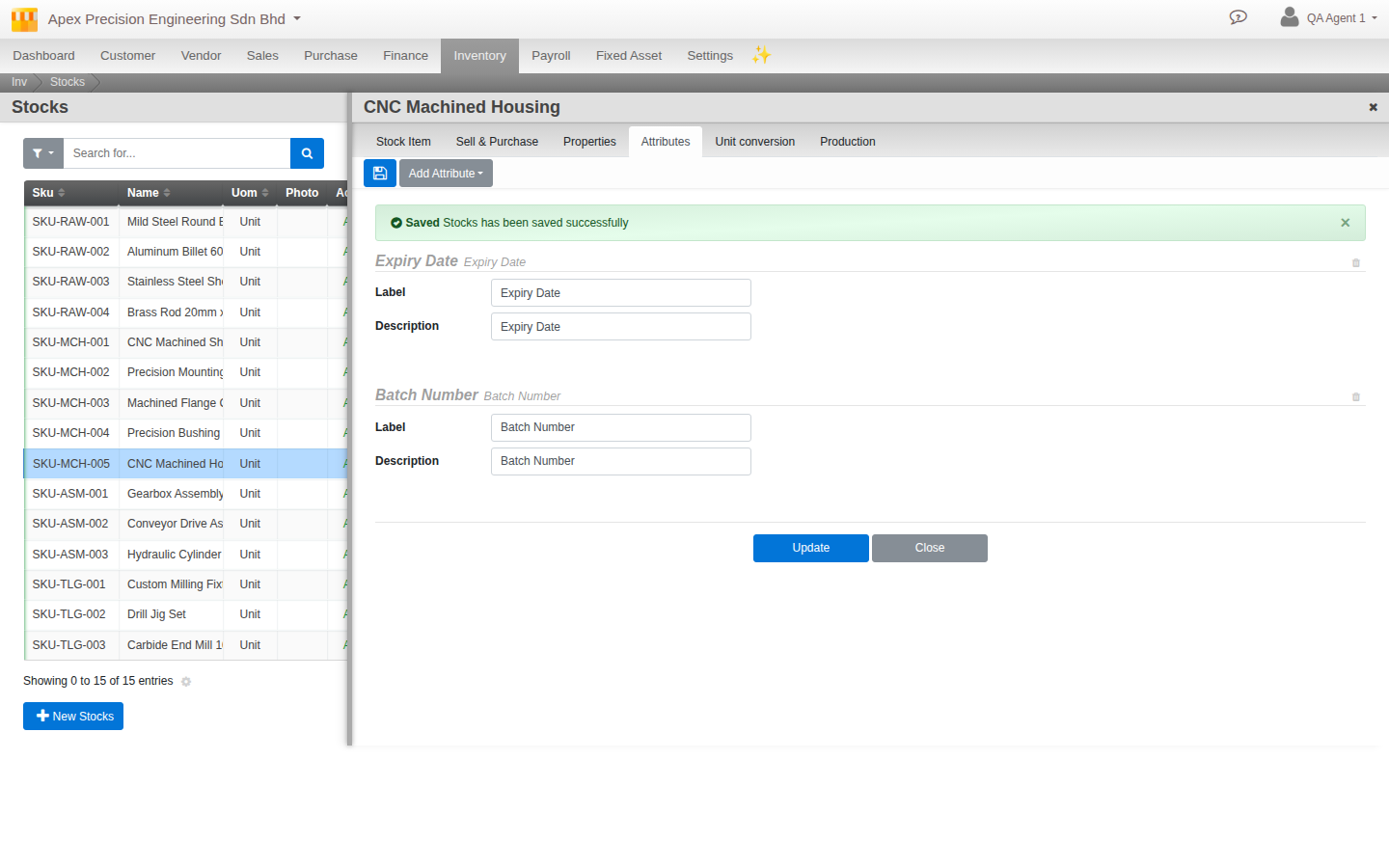
What you can track
- Serial Number. A toggle on the Properties tab, alongside Costing Method. Enable it and each unit carries its own serial, captured when goods are received and again when they ship.
- Batch Code. Group units into a lot, so you can trace a whole batch if there is ever a recall.
- Expiry Date. Record a use-by date per batch. With expiry tracking on, picking follows FEFO (first expiry, first out) so the oldest stock leaves first.
- Custom attributes. Add your own fields (text, date, number or a list) for anything else you need to record against a unit.
Good to know. Turn tracing on before you receive stock for that item. The serial or batch is captured as goods come in, so it can follow the unit all the way out.