
Scope: the close mechanics apply everywhere. A few sections (currency revaluation) only matter if you trade in more than one currency.
Time: a real close is not a five-minute task, especially the first time. Budget a proper working session, and expect to come back to this page as a checklist each period.
1. What closing a period actually does, and why it matters
A period in Cloudby is a slice of time your books are organised into, usually a month. Closing a period does two things at once. It locks everything dated on or before the close date against backdated changes. And, if the period you are closing is your financial year end, it rolls your income and expense for the year into Retained Earnings and opens a fresh year. An ordinary month-end close is an interim close. It only locks the month, nothing more. Only the year-end close does the retained-earnings roll.
Only one period is open at a time, and a new period always begins exactly where the last close left off. There is no way to leave a gap or overlap periods. Once a period is closed, Cloudby will reject any attempt to post or edit a transaction dated inside it. If you need to fix something after the fact, you re-open the period first. Only the most recently closed period can be re-opened, so this is not something you can do to a period from three months ago without re-opening every period after it too.
2. Clear your Checklist: nothing left in Draft or Verify
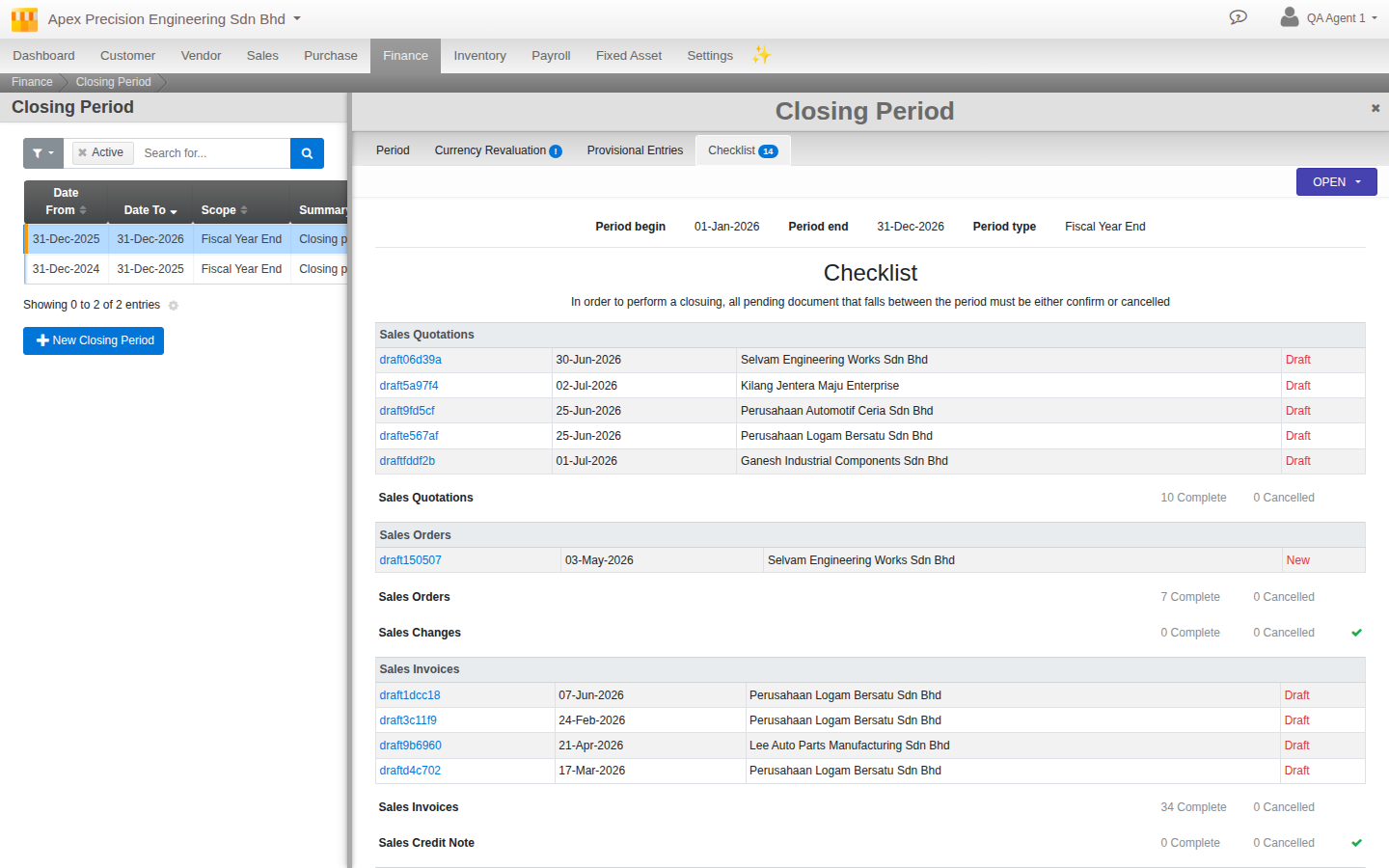
Go to Menu > Finance > Period Management and open the Checklist tab. This is Cloudby’s own pre-flight check. It counts every document across Sales, Purchase, Finance, Fixed Assets and Payroll that is still sitting in Draft or Verify status, and a close will simply refuse to run while any of those counts are above zero.
Work through each category the Checklist flags: finish, confirm, or cancel whatever is outstanding. This is not a formality. An invoice stuck in Draft has not posted to your ledgers yet, so closing the period around it would mean your close excludes a transaction that belongs in it.
3. Reconcile your bank and control accounts
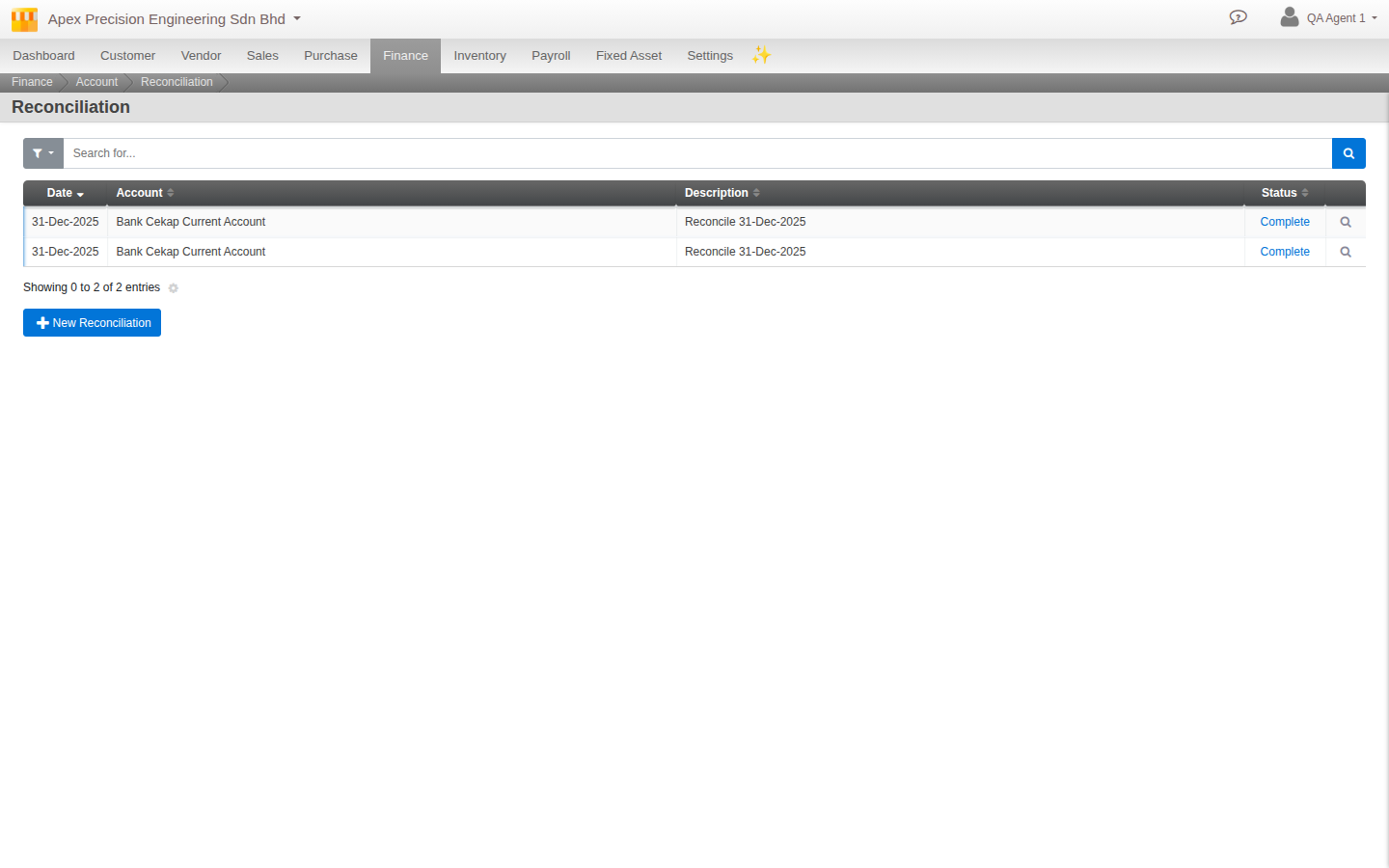
Any account you have flagged to require reconciliation needs a Complete reconciliation before the period can close. Reconciling is the process of matching your ledger’s transactions against your bank statement (or another external source of truth) line by line, so you catch anything missing, duplicated, or mis-recorded before you lock the books around it.
4. Run depreciation for the period
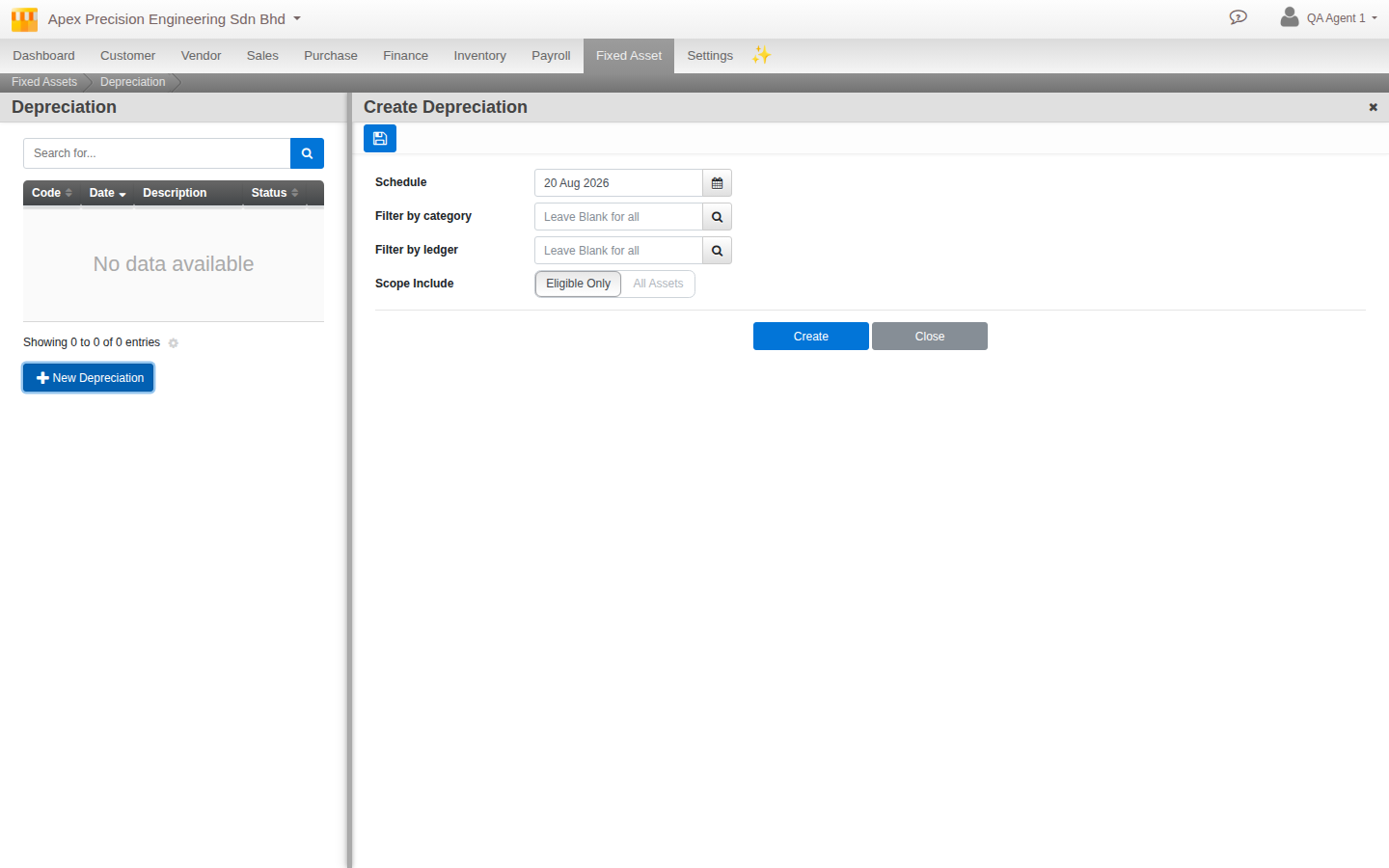
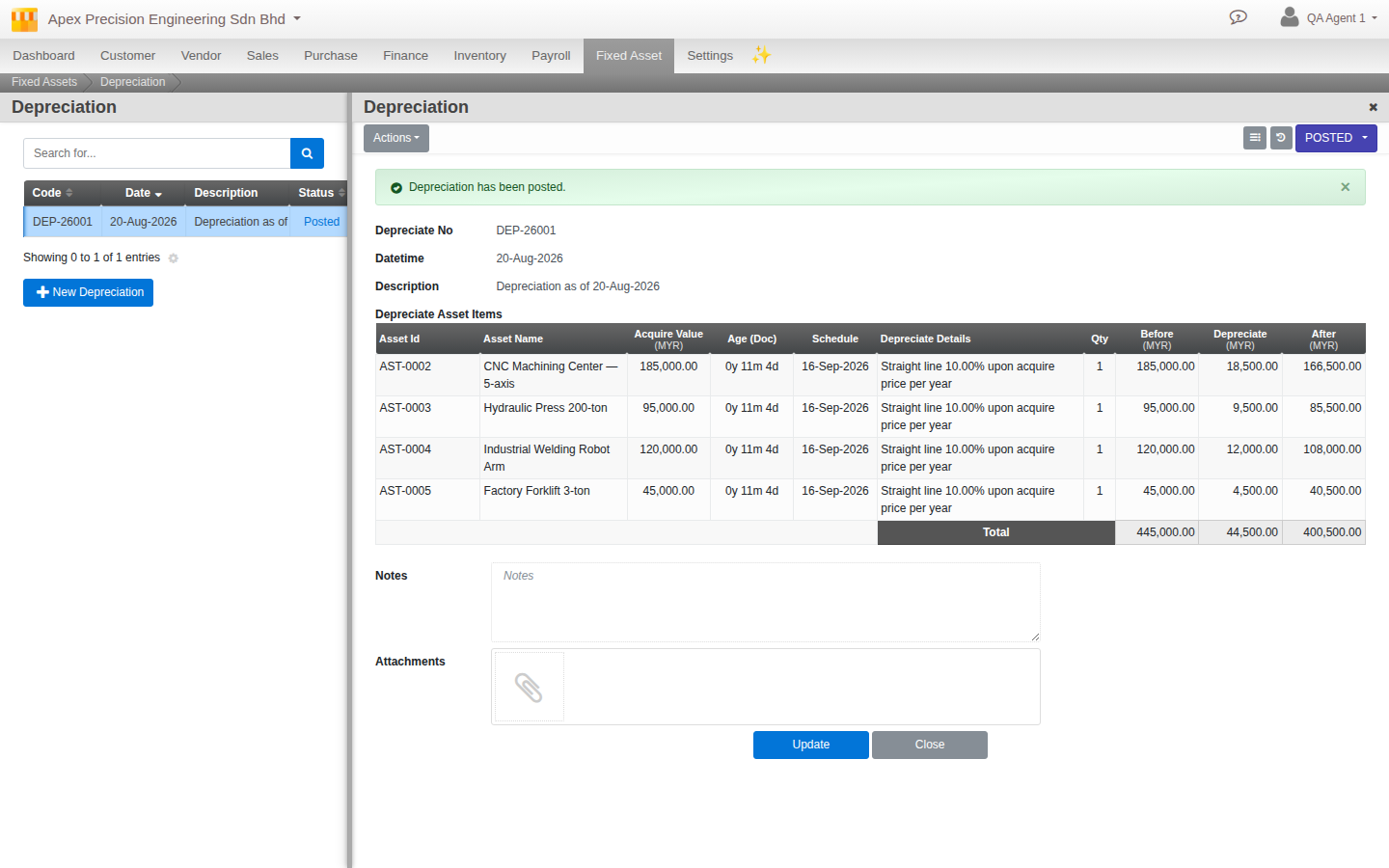
If you hold fixed assets, this period’s depreciation needs to be posted before you close. Depreciation is not automatically scheduled. You create the depreciation run yourself each period, choosing either Eligible assets (the ones due this period) or All. Once you verify and post it, Cloudby records the expense (Depreciation Expense) against the asset’s accumulated depreciation, the standard double entry every accounting system uses for this.
A full guide to fixed asset management, registering an asset, choosing a depreciation method, disposal, is planned separately. This step assumes you already have assets registered and are simply running this period’s depreciation as part of closing.
5. Count and adjust your stock
If you carry inventory, reconcile what your books say you have against what is actually on the shelf. This is a manual step in Cloudby today. There is no barcode-driven or automatic count. You perform (or have your team perform) a physical count, then record the result as a stock adjustment, choosing between a quantity adjustment (correcting the count) or a monetary adjustment (correcting the value directly). Once verified and posted, this updates both your inventory value and your Cost of Goods Sold for the period.
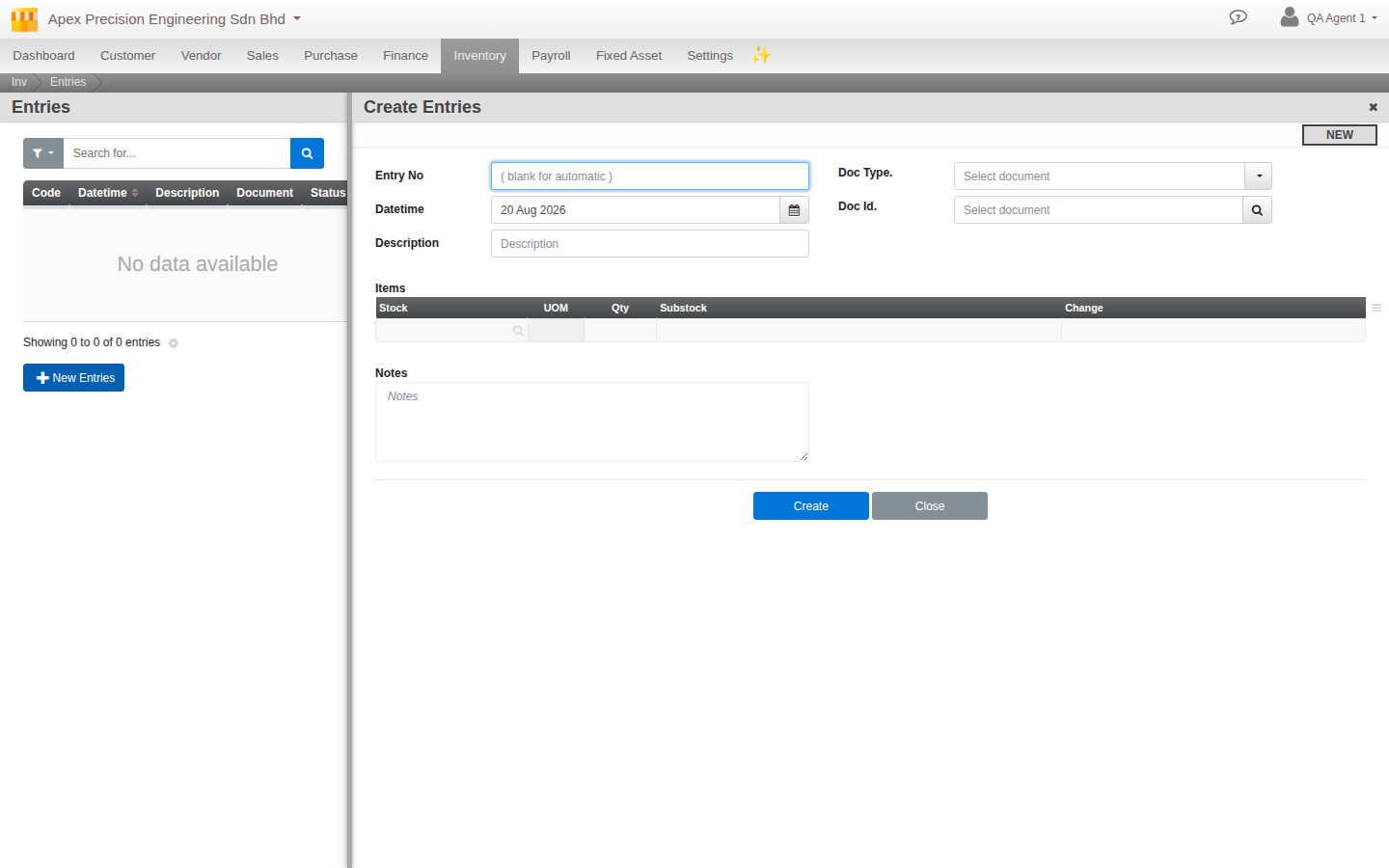
A full guide to inventory management, including stock movements, valuation methods and traceability, is planned separately. For closing purposes, the point is simply that your books and your shelf need to agree before you lock the period they cover.
6. Post your accruals and provisions
An accrual records a cost or income that belongs to this period even though the cash, bill, or invoice for it has not arrived yet. A utility bill for days already used but not yet received, interest accrued but not yet paid, work completed but not yet invoiced. A provision is closely related: an estimated liability for something you are confident will happen but do not have the final figure for yet.
Cloudby does not calculate these for you. There is no auto-accrual engine watching your unpaid invoices or unbilled work. You record them as ordinary journal entries against the accrual/provision ledger subtypes already built into your Chart of Accounts, and you mark the entry as reversing.
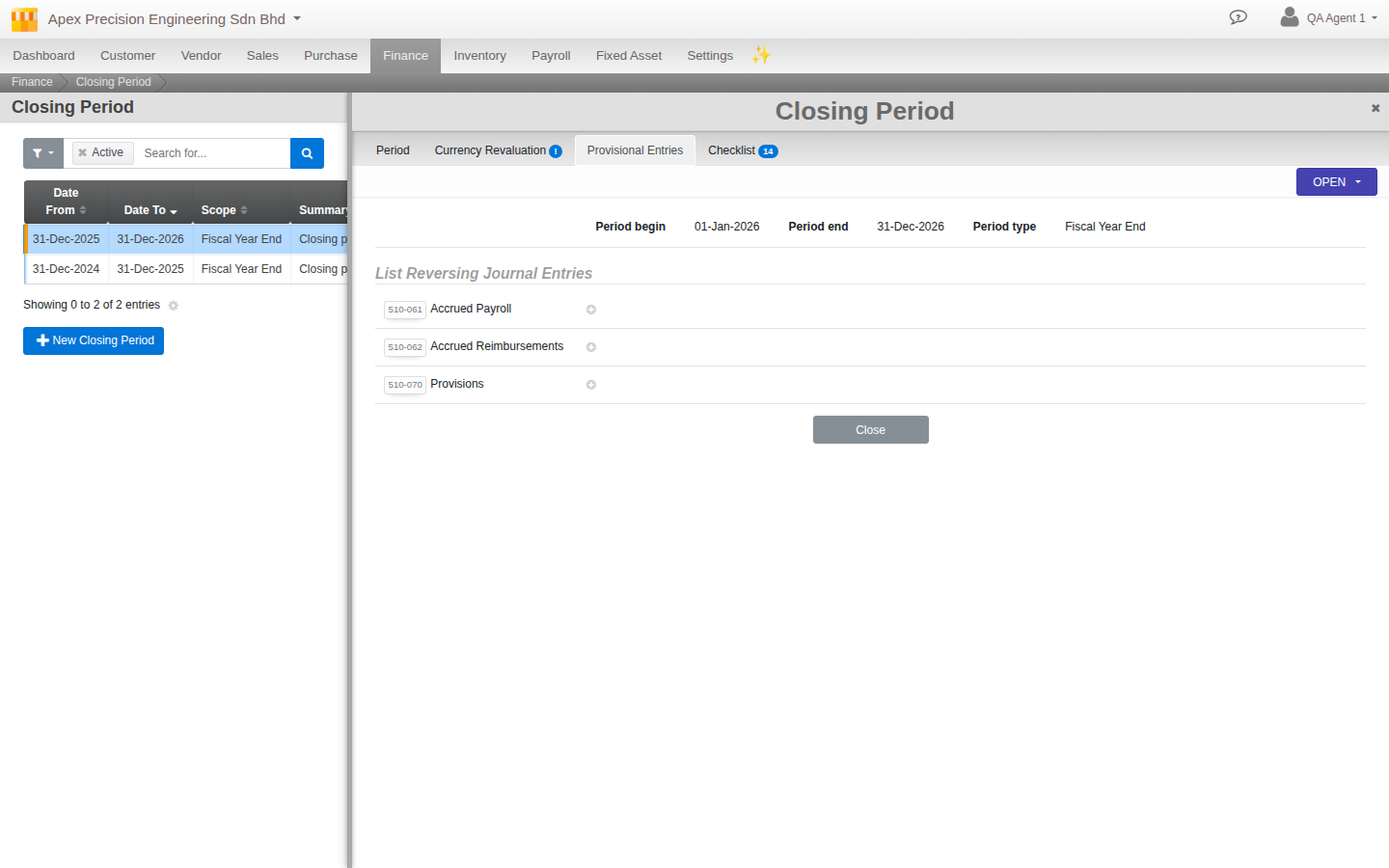
An accrual is automatically reversed, and the timing is exact and worth understanding. You post it dated at the very last moment of the period you are closing, so it counts fully in that period’s result. Cloudby then automatically posts the exact opposite entry at the very first moment of the next period, cancelling it out before that new period has recorded anything else. This is what keeps an accrual from lingering and double-counting once the real bill or invoice eventually arrives and is recorded normally: your estimate lived in the old period for exactly one instant of posting, and is already gone by the time the new period properly begins. You can see every reversing entry queued this way on the Provisional Entries tab of Period Management.
7. Review your reports: Trial Balance, then Profit and Loss, then Balance Sheet
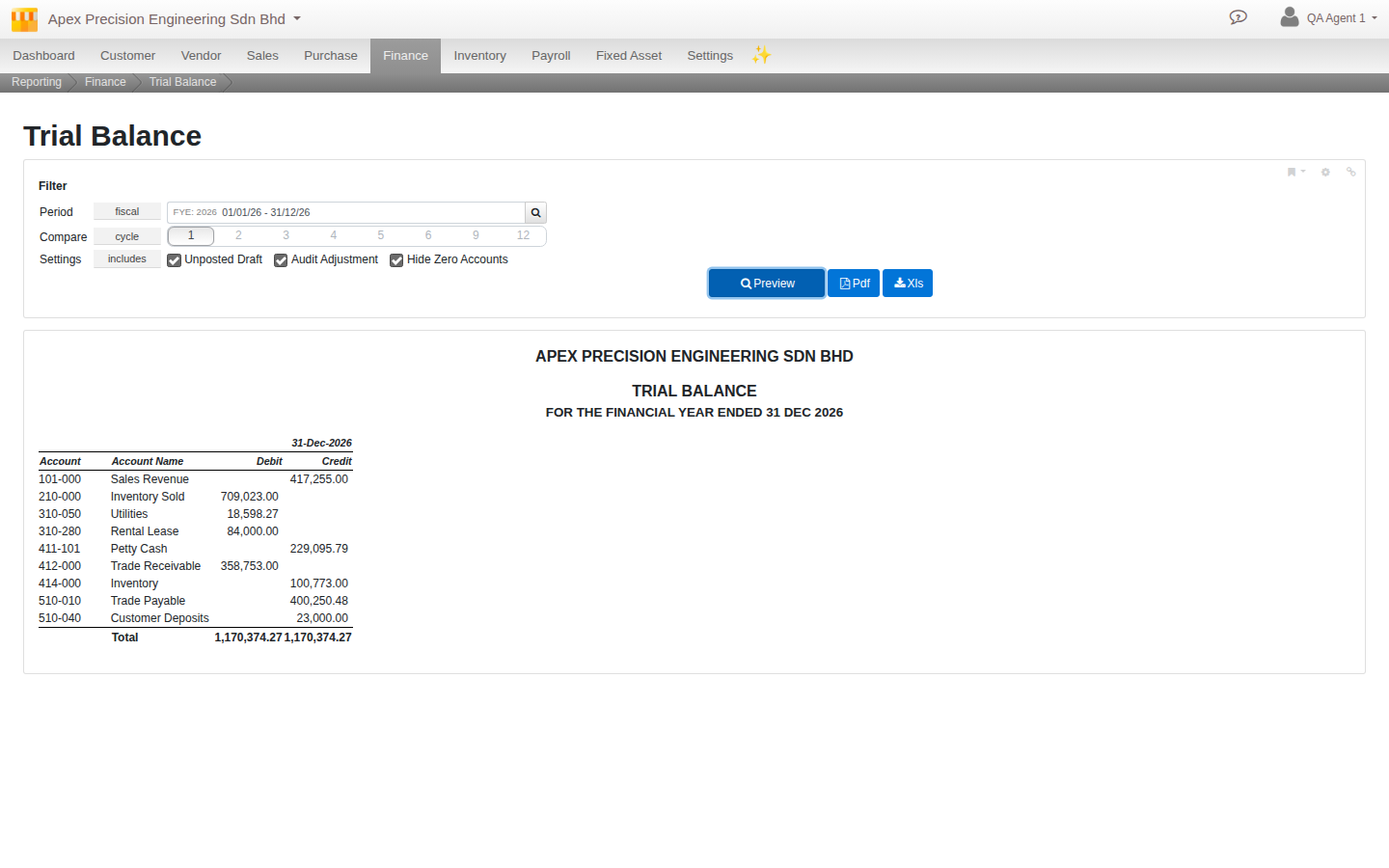
Before you lock anything, actually look at the numbers. Run your Trial Balance first. Every ledger’s balance side by side is the fastest way to spot something obviously wrong (an account that should never carry a balance but does, a number that is an order of magnitude off). Then your Profit and Loss (Cloudby also calls this Comprehensive Income) for the period, and your Balance Sheet as at the close date. All three are available in both an unadjusted view (before any audit adjustments) and an adjusted view (after), once you have posted any AJEs in the next step, so you can see exactly what an adjustment changed.
8. Revalue foreign currency balances (multi-currency organisations only)
If your organisation trades in more than one currency, foreign-currency balances need to be restated to your reporting currency at the period-end rate before you close. Enter the closing rates for the period, and Cloudby calculates and posts the resulting unrealised foreign-exchange gain or loss automatically. Like an accrual, this posting reverses automatically at the very first moment of the next period, unless the period you are closing is your financial year end. At year end, it is deliberately left standing rather than reversed, since it belongs to the year that just closed.
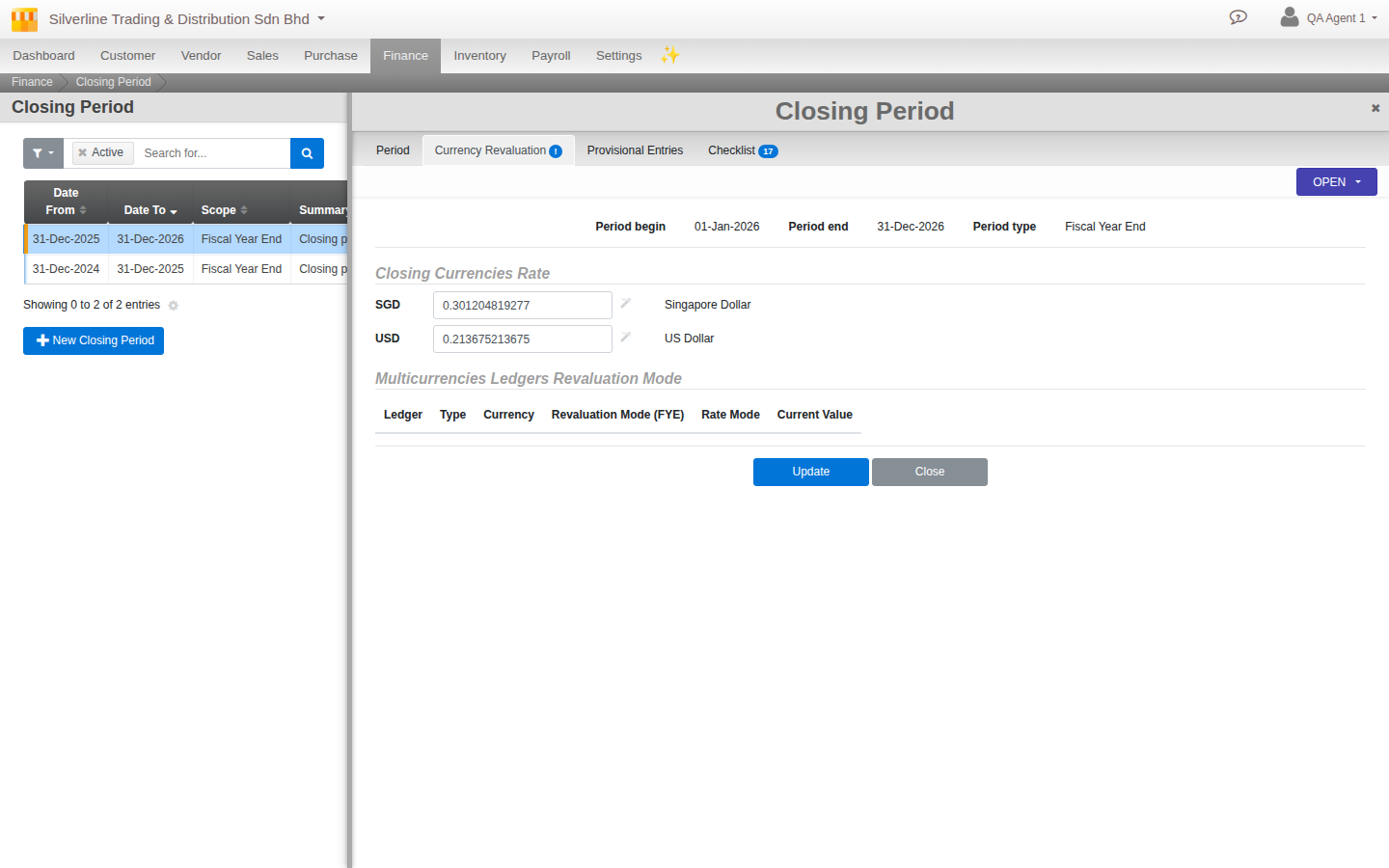
A full guide to multi-currency in Cloudby, covering day-to-day foreign-currency invoicing and payment, is planned separately. This step assumes you are already issuing and paying in foreign currency and are simply revaluing what is left outstanding at period end.
9. Audit Adjustment Entries (AJE)
An Audit Adjustment Entry, or AJE, is a distinct kind of entry from everything above it in this guide, and worth understanding on its own terms rather than as another bullet in the close checklist.
What it is, and how it differs from an ordinary journal entry. A normal journal entry records something that happened during the period: a transaction, a correction, an accrual you decided to book. An AJE specifically records a change an external auditor asks for, typically found after you believed your books were otherwise ready to close. A reclassification between accounts, a write-down, a correction the auditor’s own review turned up. Cloudby tags an AJE with its own entry type so it is always identifiable as exactly that, an auditor-driven adjustment, not something your own team decided to record mid-close. That is exactly what makes the unadjusted-versus-adjusted report views in step 7 meaningful: you can show a reviewer precisely what the audit changed.
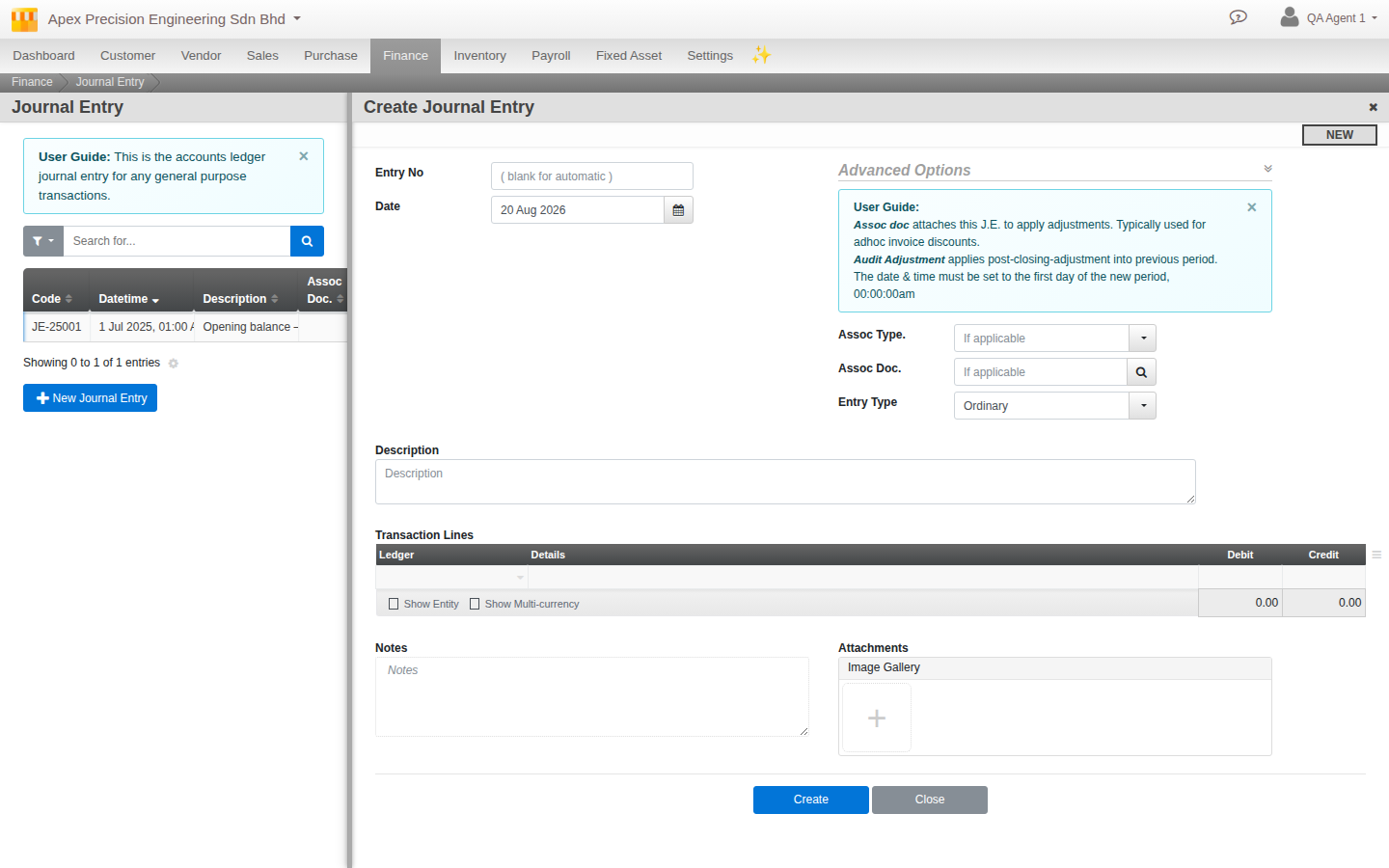
How it differs from an accrual or provision reversing entry. Mechanically, an AJE behaves the same way as the reversing entries from step 6. It is dated at the period end, and Cloudby auto-reverses it the next day, exactly like an accrual. The real difference is not permanence, it is provenance and reporting. An accrual is your own team’s best estimate of something not yet finalised. An AJE specifically comes from outside your normal booking process (the external auditor), and is tagged with its own distinct entry type so it never gets confused with your team’s routine entries. Again, that is what makes the unadjusted-versus-adjusted report views meaningful: you can show a reviewer precisely what the audit changed, separately from everything you booked yourself.
When you would use one. In practice, an AJE only comes up when you are running a real external audit, typically at financial year end rather than every interim close. If your organisation is not being externally audited this period, you can skip this step entirely. There is nothing to record.
How it interacts with an already-locked period. An AJE is dated at the period end and posted before you run the close in step 10. If the period has already been closed once and the auditor’s findings arrive afterward, use the same re-open mechanism described in step 1: re-open the (most recently closed) period, post the AJE, then close it again. This is the one case where re-opening a period is a routine, expected part of the process rather than an exception.
10. Close the period
With the Checklist clear, your reconciliations complete, depreciation and stock posted, accruals in, reports reviewed, and any AJEs recorded, run the close itself from the Period tab. From this point the period is locked. Nothing dated inside it can be backdated into or edited without re-opening it first.
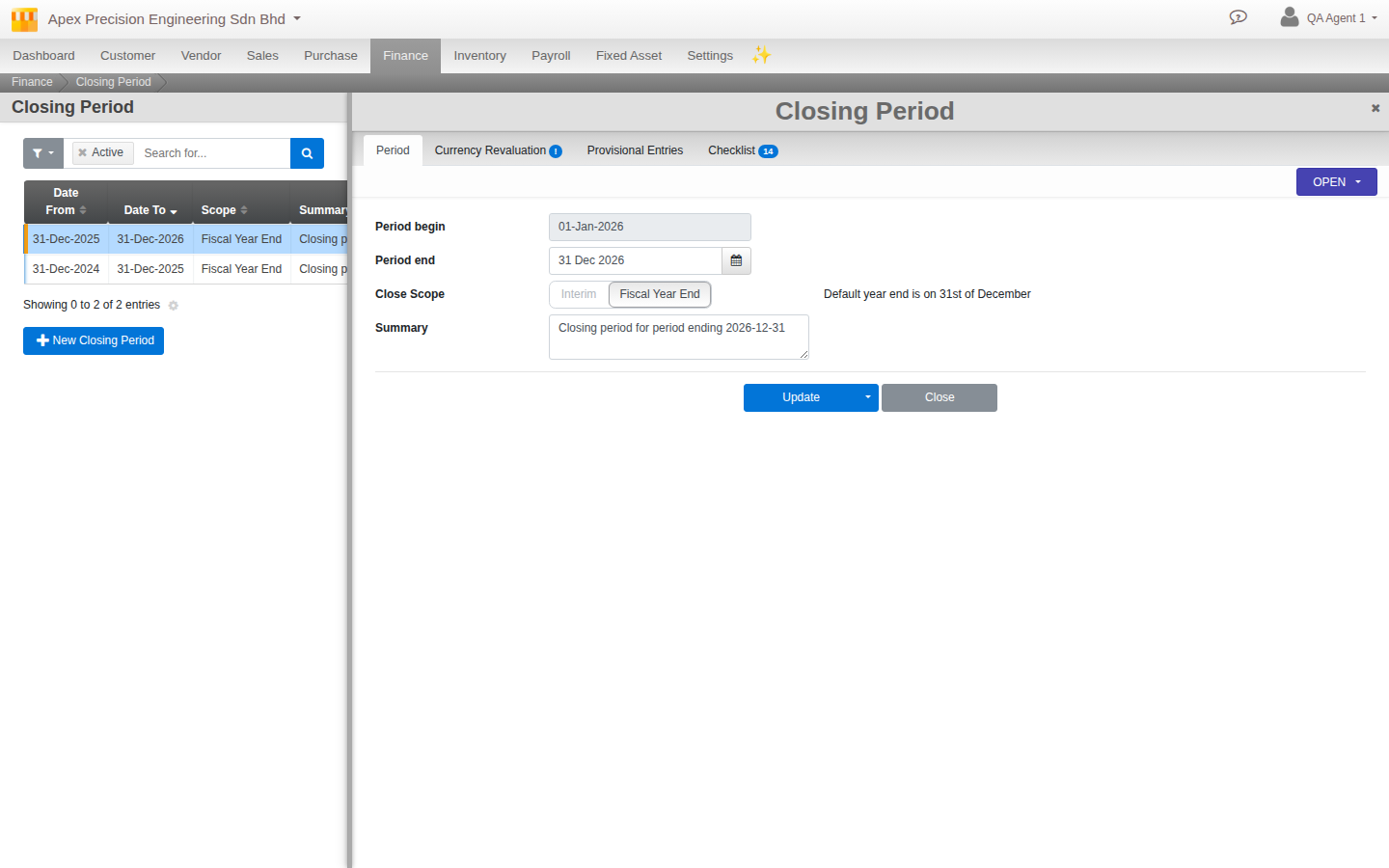
If the period you just closed was your financial year end, one more thing happens automatically that an interim close does not do. Every Income, Cost of Goods Sold, and Expense ledger is zeroed out and its balance rolled into Retained Earnings, and your new financial year opens carrying that balance forward. This is the standard accounting mechanic behind “starting a fresh year at zero profit,” while your balance sheet accounts (cash, receivables, payables, equity) carry straight through unbroken.
11. Export your audit package
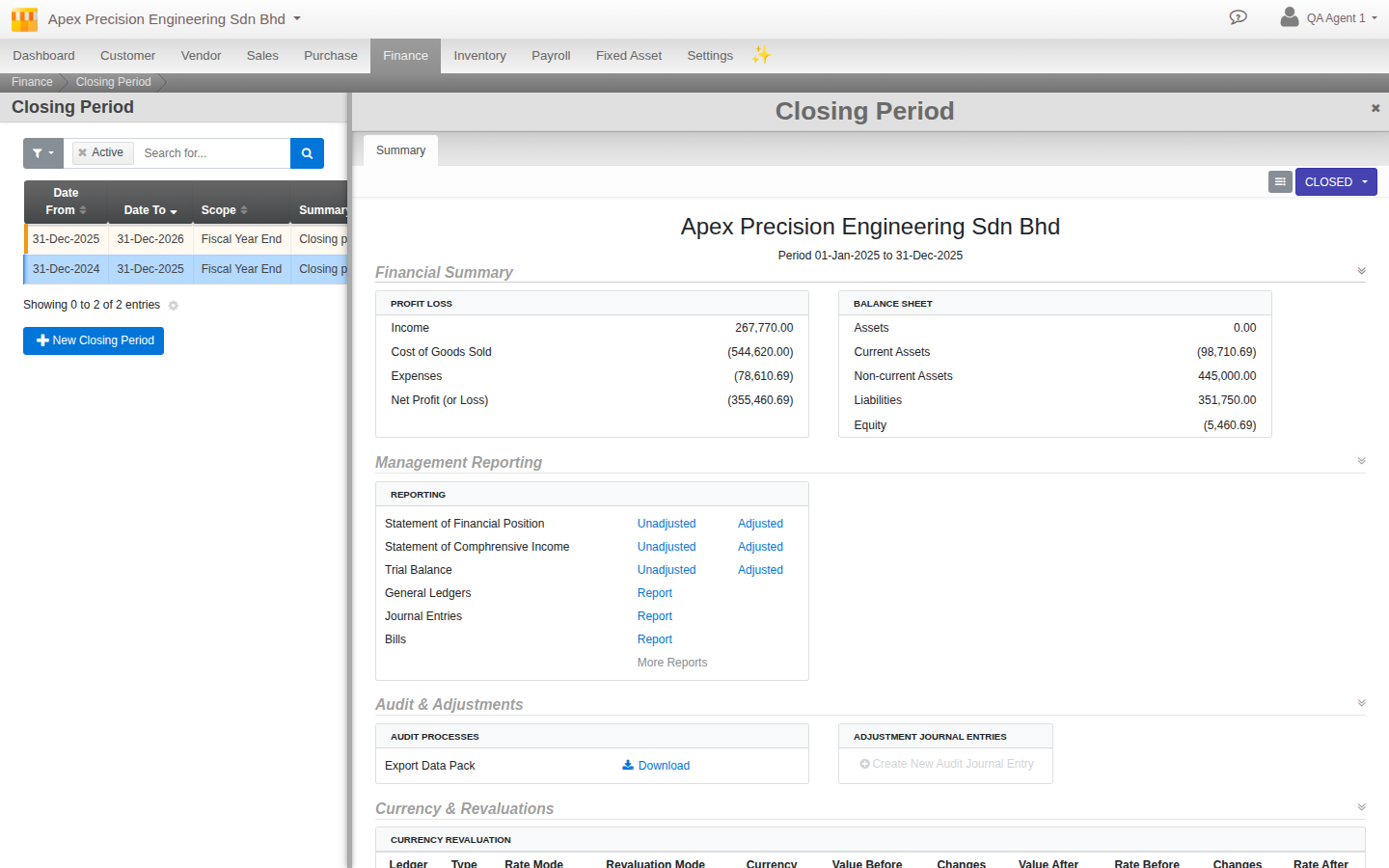
Once closed, the period’s Summary tab becomes your audit package: a Financial Summary, links to every management report in both unadjusted and adjusted form, and a one-click Export Data Pack bundling your Trial Balance, Profit and Loss, Balance Sheet, General Ledger and Subledger detail for the period. This is what you hand to an external accountant or auditor so they can work from a complete, self-contained record without needing access to your live organisation.
What’s next
A closed period is not the end of the story. It is the start of the next one. A few notes as you keep going:
- Re-opening is deliberately limited to the most recently closed period. If you need to correct something further back, you are re-opening every period after it too, in order. Plan close corrections promptly rather than letting them stack up.
- The guides for Multi-currency, Inventory, Fixed assets and Payroll (each linked from the journey box at the top of this page, Inventory still planned) go deeper into the day-to-day mechanics that feed into the steps above. This guide deliberately stays close-focused rather than re-explaining depreciation methods or stock valuation in full.
- Cloudby does not currently produce inter-company consolidation and eliminations, or budget-vs-actual variance reports. If your close process needs either, that stays outside Cloudby today.
Scenarios and troubleshooting
Close says I have documents pending, but I do not know which ones.
Go back to Menu > Finance > Period Management > Checklist. It breaks the count down per category (Sales, Purchase, Finance, Fixed Assets, Payroll), so you can go straight to the module with an outstanding count rather than hunting across the whole organisation.
I am trying to post or edit something and it says the transaction is backdated.
The date on your document falls inside an already-closed period. Either change the date to fall inside the current open period, or, if the entry belongs in the closed period, re-open it first (only the most recently closed period can be re-opened).
My reconciliation says Invalidated and I only just completed it.
Something changed that account’s balance after you completed the reconciliation, a backdated entry or a correction. Redo the reconciliation against the current balance. This is Cloudby correctly protecting you from a stale match, not an error.
Do I need an AJE for my routine month-end accruals?
No. Accruals and provisions are your own reversing journal entries (step 6), not AJEs. An AJE specifically comes from an external auditor’s findings (step 9). Most interim closes never need one at all.
Do I need an accountant to close a period?
The mechanical steps, clearing the checklist, running the close, do not require one. The judgement calls do: what counts as an accrual, how to value closing stock, whether a reclassification needs an AJE. If your books are simple, many businesses handle a routine interim close themselves. A financial-year-end close, especially your first one, is worth having an accountant review.
Related
- Reference: Record to Report (the underlying journey this guide operationalises)
- Reference: Payment Processing
- How to: Reconcile an account