This is the step-by-step. For what it is and how it fits the bigger picture, read Service in the reference.
What this does
A Service Asset is one tracked physical unit — a piece of equipment you service, whether it belongs to a customer or to your own fixed-asset register — with a running record of where it's been and what work has touched it.
Open Assets
Go to Menu > Service > Assets, then New Assets.
The Details tab
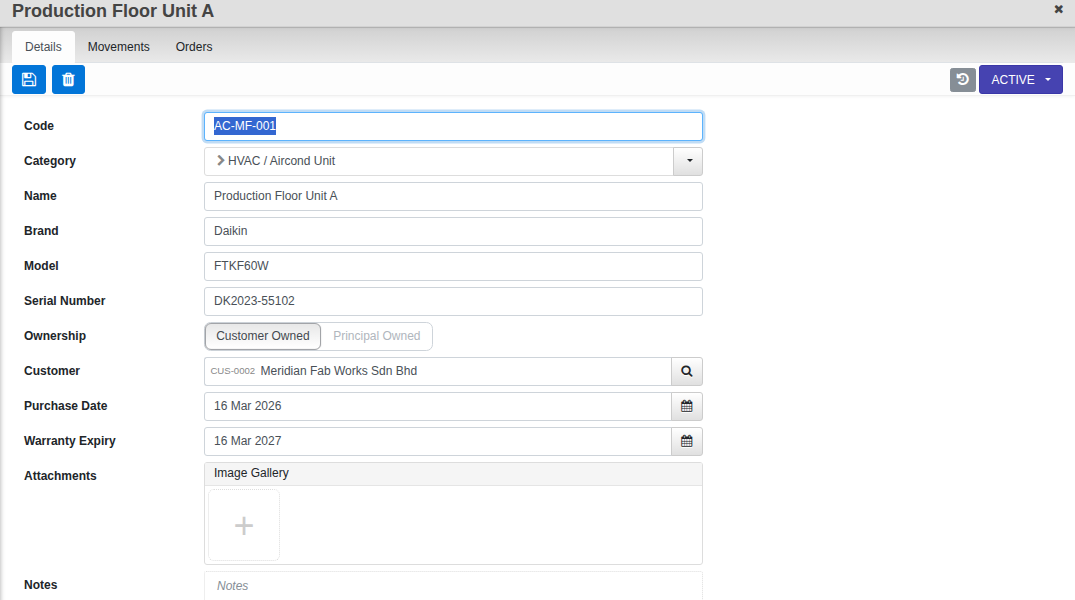
- Category, Name, Brand, Model and Serial Number.
- Ownership: Customer Owned (pick the Customer) or Principal Owned (link your own Fixed Asset record instead) — this choice locks once the asset leaves Draft.
- Purchase Date and Warranty Expiry — leave the warranty date blank and it derives from the purchase date plus the category{apos}s own warranty period.
- Attachments (photos) and Notes.
The Movements tab
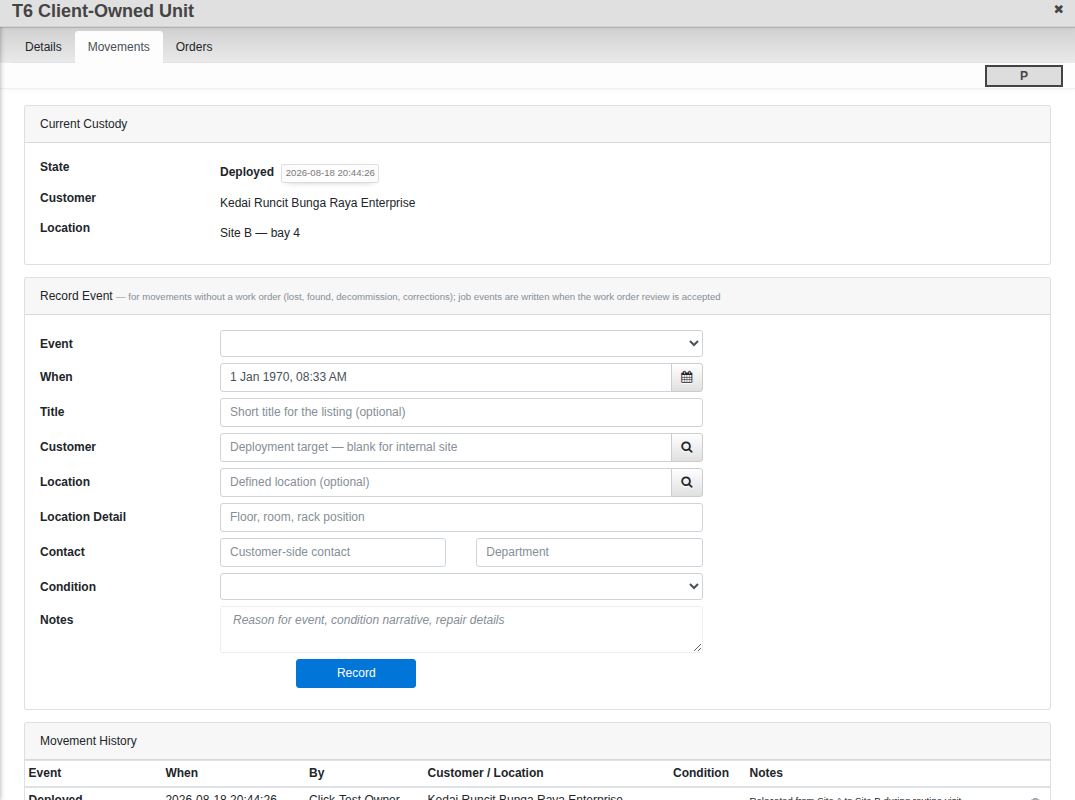
A live custody trail: Current Custody shows the asset{apos}s last known state, customer and location. Most entries write themselves — whenever a work order carrying this asset is accepted at Review, the movement is logged automatically. Use Record Event yourself for anything that did not come through a work order: reporting an asset lost or found, decommissioning it, or a correction.
The Orders tab
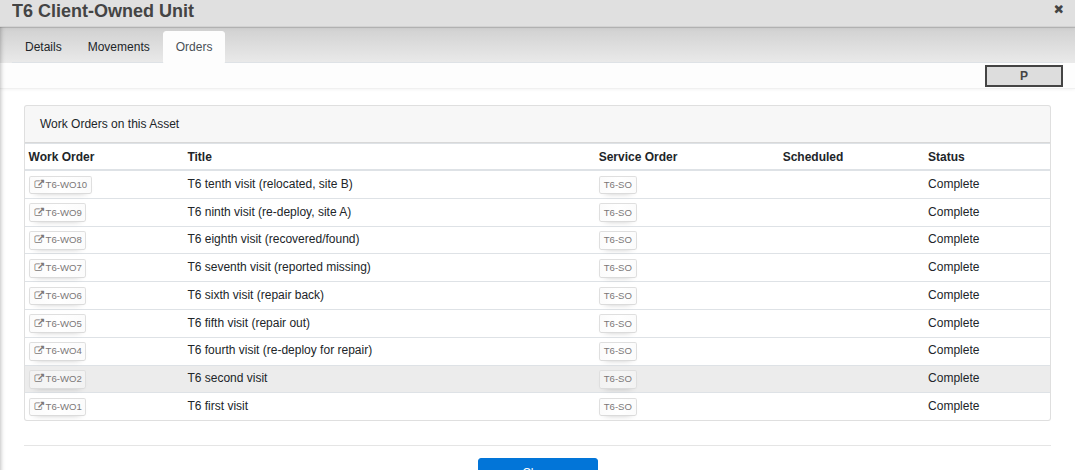
Every work order that has ever referenced this asset, with its service order, schedule and status — a quick way to see a unit{apos}s whole service history in one place.
Move it along
A new asset starts Draft. Activate it once its details are right; from Active you can Decommission it, and a decommissioned asset can be Reinstated later if it comes back into service.