Learn the concept
This is the step-by-step. For what it is and how it fits the bigger picture, read Change Order in the reference.
This is the step-by-step. For what it is and how it fits the bigger picture, read Change Order in the reference.
What this does
A change order records a formal change to a confirmed sales order, such as adding, removing or adjusting lines, without editing the original.
Before you start
A confirmed sales order to change.
Open it
From the sales order, choose Create Change Order (or go to Menu > Sales > Change Order).
Steps
- From the order, choose Create Change Order.
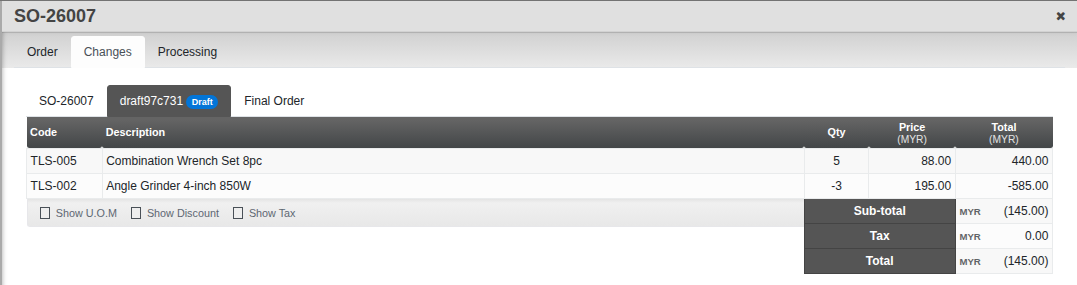
- Add the changes. A change can carry a negative quantity to take something off the order.
- Confirm the change order. Open the original sales order and go to its Change tab: each change order gets its own tab there, alongside a Final Order tab showing the order with every change applied.
Good to know. Change orders keep the original order intact and give you an auditable trail of what changed.