Learn the concept
This is the step-by-step. For what it is and how it fits the bigger picture, read Assets in the reference.
This is the step-by-step. For what it is and how it fits the bigger picture, read Assets in the reference.
What this does
Registering an asset puts it on your books and sets how it will depreciate. Assets are created from a document you already raised, a purchase invoice, a bill, a journal entry or a reimbursement claim, not typed from scratch.
Open Assets
Go to Menu > Fixed Asset > Assets and click Create.
Steps
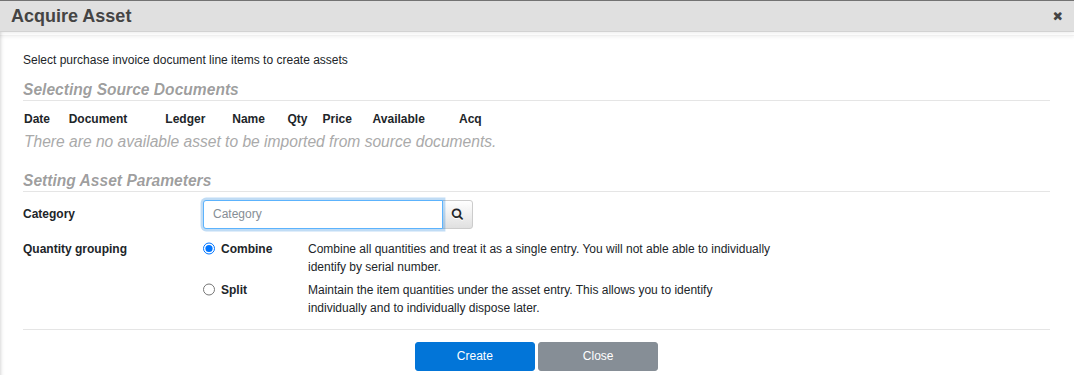
- Under Selecting Source Documents, tick the line item from the purchase invoice, bill, journal entry or reimbursement claim you want to turn into an asset. If nothing shows up, the item has not been posted yet, or was already acquired.
- Set a Category, and choose the Quantity grouping: Combine treats the whole quantity as one entry (you cannot identify units individually later), Split keeps each unit as its own line so you can track and dispose of them one at a time. Click Create.
- This opens the new asset’s own record. On the Asset tab, fill in the Name, Description, Photo and product details (brand, model, serial), and check the acquisition price, quantity and date that carried over.
- On the Value tab, set the depreciation Method and Rate, and confirm the three ledger accounts: the Asset ledger, the Depreciation ledger and the Accum. Dep. ledger.
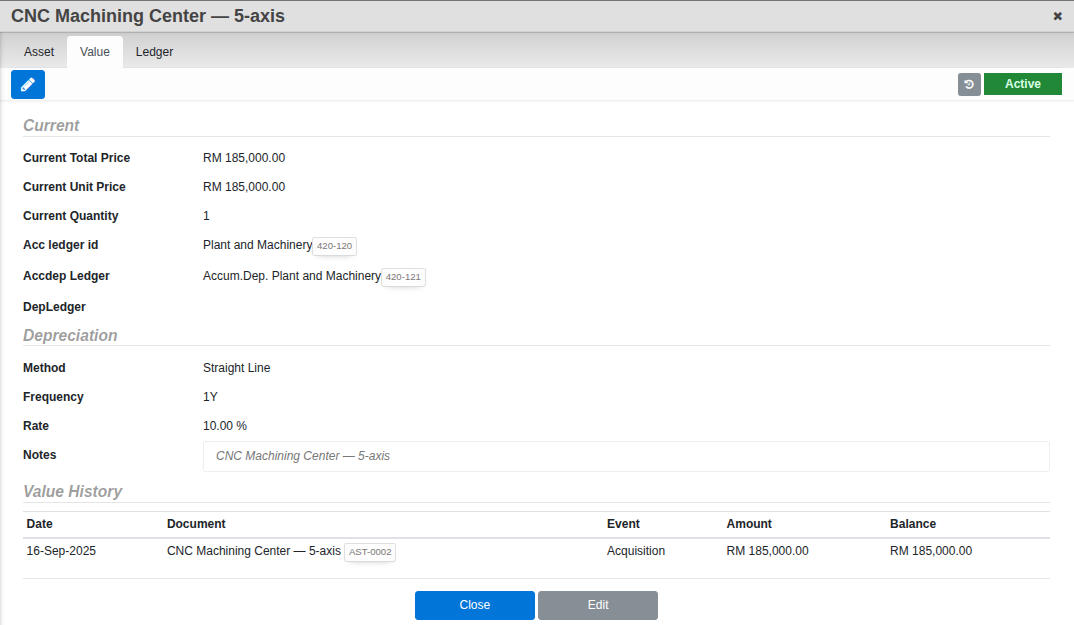
- Click Confirm to make the asset Active.
The tabs
- Asset. What it is and how it was acquired.
- Value. Its depreciation setup and a running Value History.
- Ledger. The live Gross Value, Accum. Depreciation and Book Value, plus the actual ledger postings behind them.
Good to know. Method is currently Straight Line or None, and Frequency is locked to once a year regardless of what you set. Every asset keeps its own transaction trail on the Ledger tab, back to the document it was acquired from.