Learn the concept
This is the step-by-step. For what it is and how it fits the bigger picture, read Employee Payroll Configuration in the reference.
This is the step-by-step. For what it is and how it fits the bigger picture, read Employee Payroll Configuration in the reference.
Setup task
What this does
Before a person can be paid, their pay and statutory details must be set on their employee record. This is what each monthly run reads.
Open the employee record
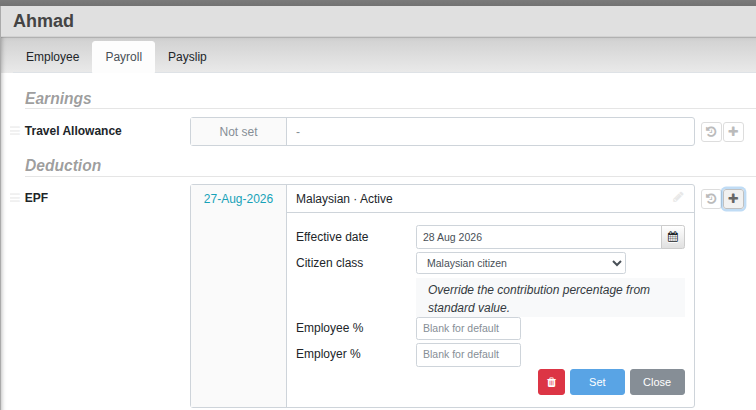
Go to Menu > HR > Employee, open the person, and use the Payroll tab.
What to set
- Pay items. The salary, allowances and deductions that apply to this person (drawn from your payroll items).
- EPF. The Citizen class and Account Number.
- SOCSO and EIS. SOCSO’s Category (1 or 2) and each item’s Account Number. No Majikan is set once for the whole company, not per employee.
- PCB (MTD). The tax details, including the Children Factor and any prior-year amounts so year-to-date tax stays correct.
Joiners and leavers
When someone starts or leaves mid-month, Cloudby prorates their pay automatically from their effective dates, so a partial month is paid for the days worked. Prorated lines are flagged on the payslip.
Good to know. A Commence Date in Settings > Default sets when payroll processing begins, so history before you went live on Cloudby is ignored.