Learn the concept
This is the step-by-step. For what it is and how it fits the bigger picture, read Stock Management in the reference.
This is the step-by-step. For what it is and how it fits the bigger picture, read Stock Management in the reference.
Setup task
What this does
A stock item (a “Sku”) is the master record for something you hold, buy, sell or build. It defines the code, unit, costing and tracking that every document then reuses.
Open Stocks
Go to Menu > Inventory > Master Data > Stocks and click Create.
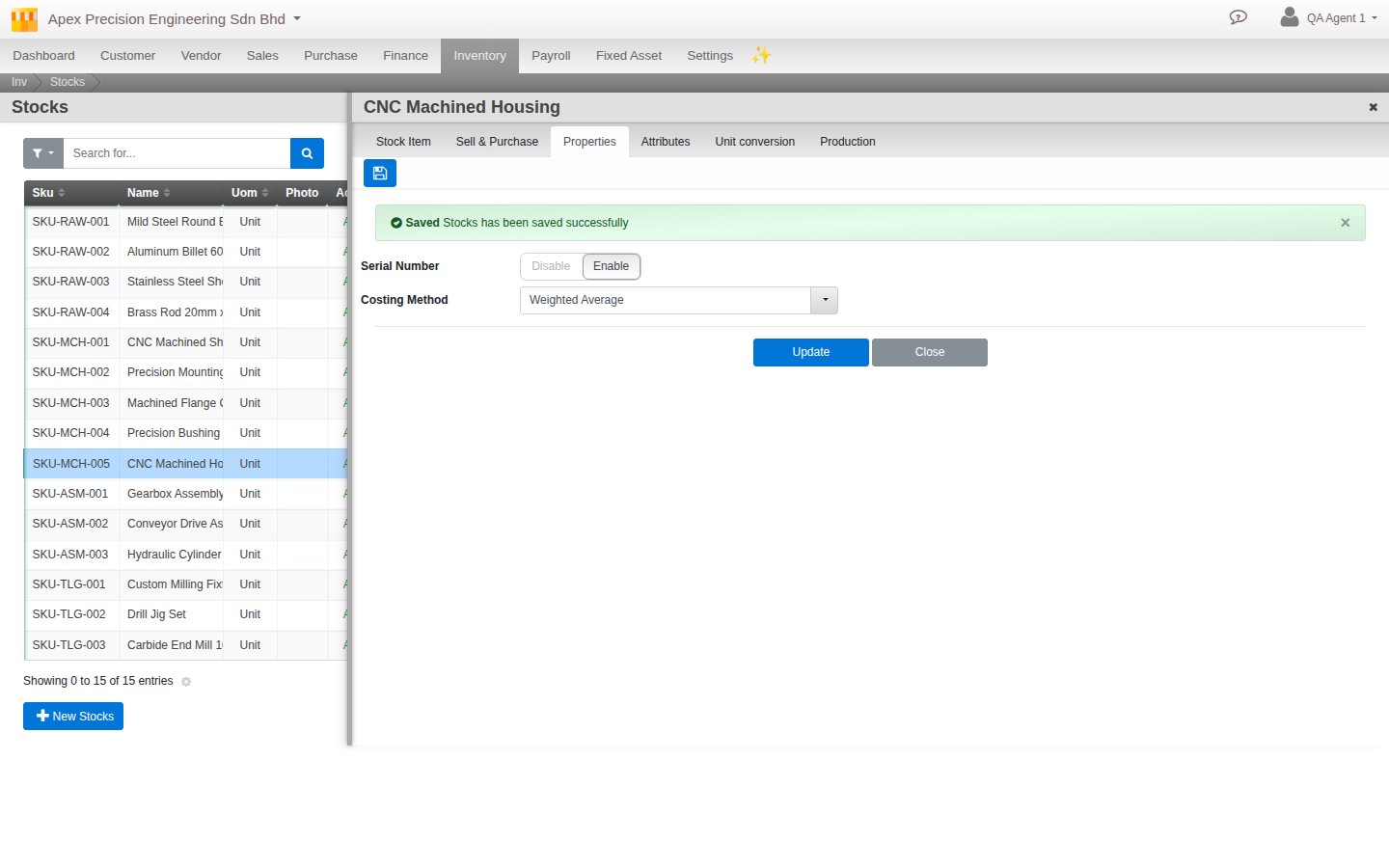
The tabs
- Stock Item. Code (the Sku), name, description, unit of measure, photo, dimensions, weight, class and category.
- Sell & Purchase. Whether the item can be sold and bought, its prices, and vendor catalogue items.
- Properties. The Costing Method and whether serial tracking is on.
- Attributes. Batch, expiry and your own custom fields (see Track serial, batch and expiry).
- Unit conversion. Sell or buy in a different unit from the one you stock in.
- Production. Link a Bill of Materials and production settings for items you build.
About the Costing Method field
The Properties tab carries a Costing Method dropdown (Weighted Average, First-in-first-out, Average, No cost tracking). Right now, Cloudby values every item by weighted average cost regardless of what you pick here, so the other options do not currently change how the item is valued.
Leave it on Weighted Average, or ask whoever manages your Cloudby account if this is expected to change.