Learn the concept
This is the step-by-step. For what it is and how it fits the bigger picture, read Stock Management in the reference.
This is the step-by-step. For what it is and how it fits the bigger picture, read Stock Management in the reference.
Setup task
What this does
Stock Level Alert flags items that have fallen below the level you set, so you reorder before you run out.
Set the level on an item
Open the item under Menu > Inventory > Master Data > Stocks and set its alert level and reorder quantity. This is the threshold the alert watches.
Watch the alerts
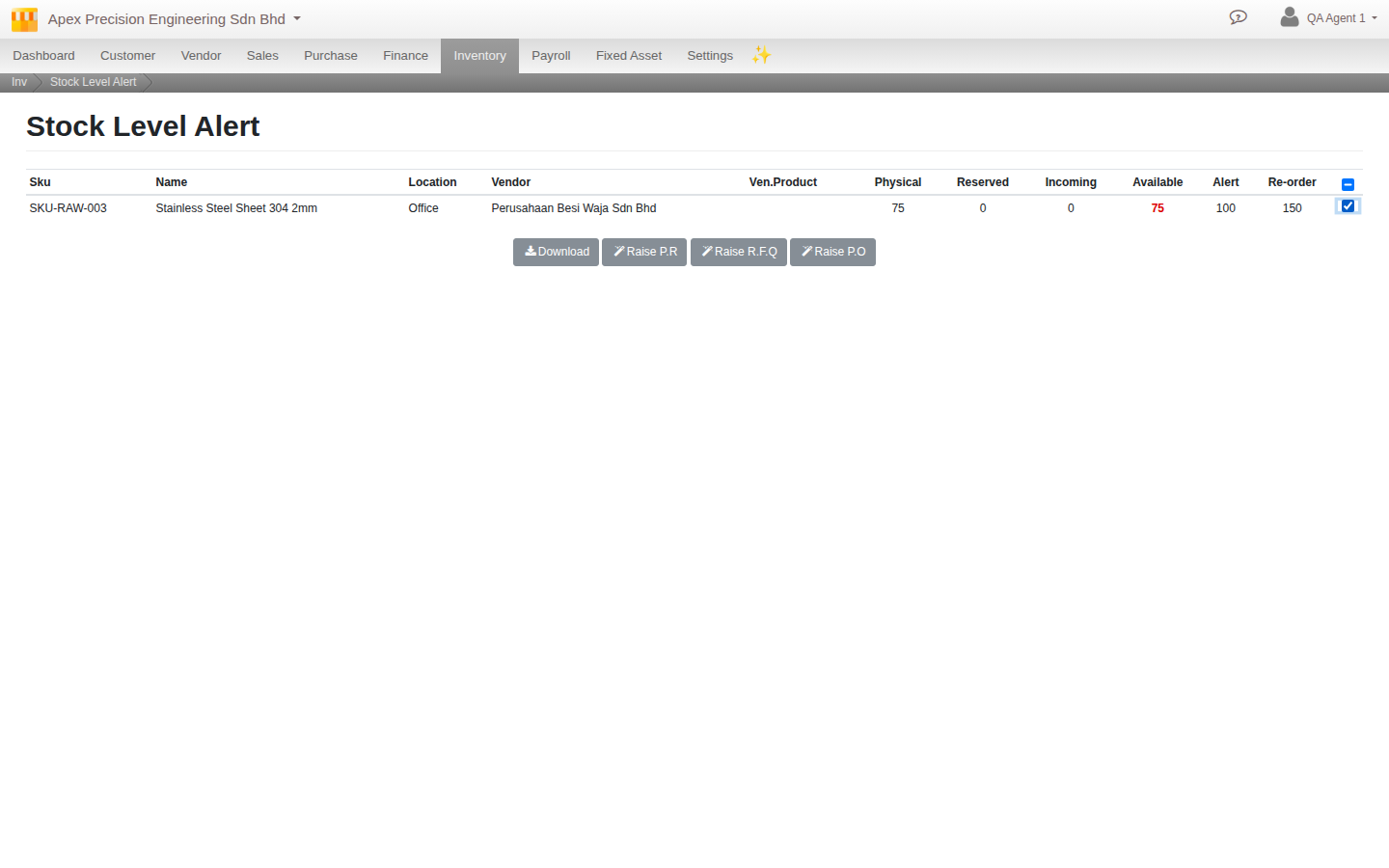
Go to Menu > Inventory > Stock Level Alert. Anything currently below its level is listed, with Physical, Reserved, Incoming and Available quantities alongside the Alert and Re-order levels you set.
Tick the rows you want to act on, then Raise P.R, Raise R.F.Q or Raise P.O to generate a draft Purchase Requisition, Quotation Request or Purchase Order straight from this screen, without re-entering the item elsewhere.
Good to know. Raise P.R/R.F.Q/P.O creates a draft only. You still review and confirm it like any other purchase document.