Learn the concept
This is the step-by-step. For what it is and how it fits the bigger picture, read Stock Adjustment in the reference.
This is the step-by-step. For what it is and how it fits the bigger picture, read Stock Adjustment in the reference.
What this does
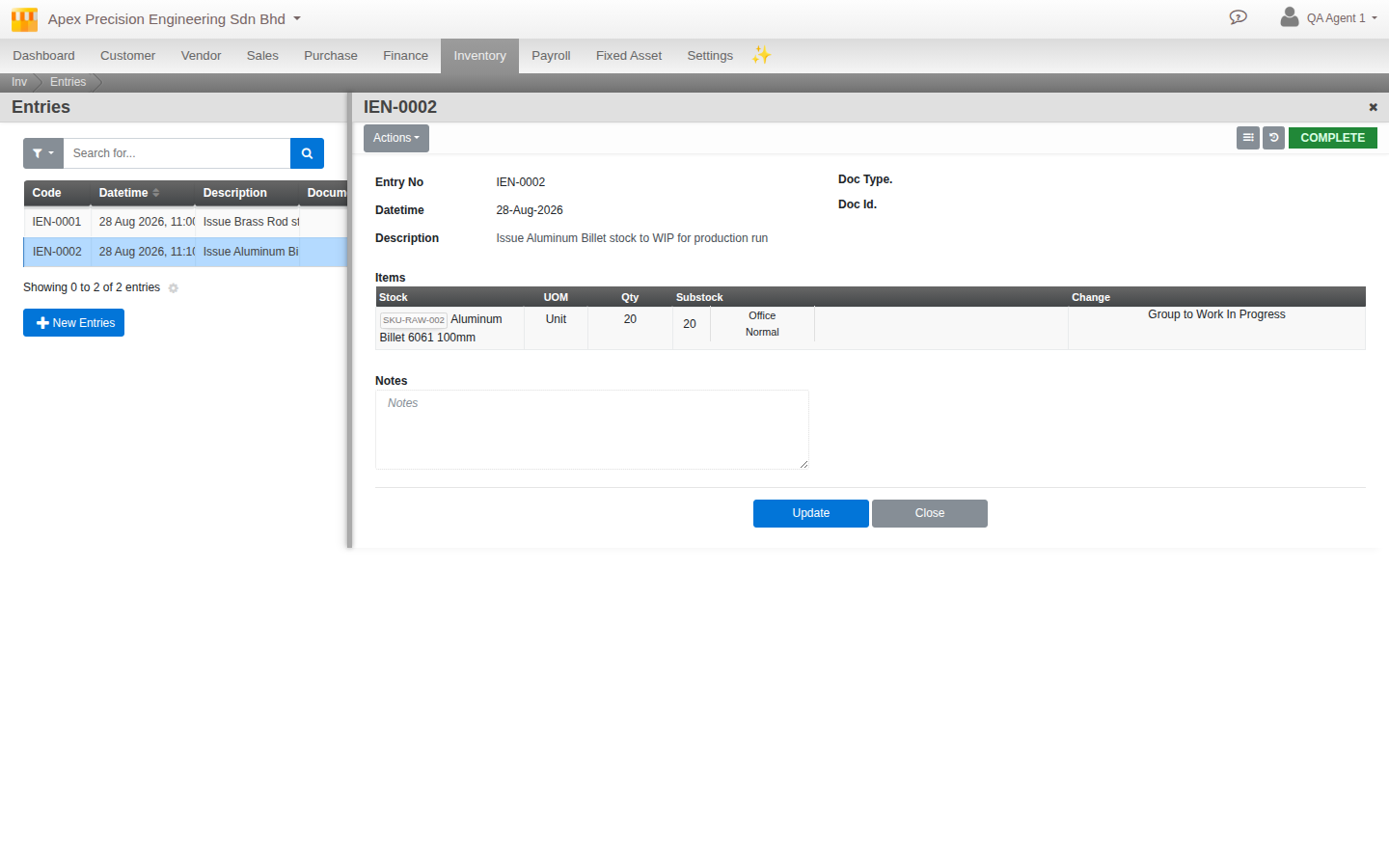
Most stock movement happens by itself from receipts, deliveries and production. When you need to shift stock between locations, or correct a discrepancy, you raise an Adjustment Entry.
Before you start
Access to Inventory adjustments, and a clear reason for the change.
Open Adjustment Entry
Go to Menu > Inventory > Adjustments > Adjustment Entry.
Move stock between locations
- Click Create and choose a Stock Movement.
- Set Group From and Location From (where the stock is now), and To (where it is going).
- Add the items and quantities to move, then Confirm.
Correct a quantity
To bring the system in line with a physical count, record the corrected figure on an adjustment entry. The difference posts to your accounts as a stock gain or loss, with your Description and Notes kept as the audit trail.
Review step. Where adjustment review is switched on, an entry goes through Verify before it posts, so a second person signs off on the change.