Learn the concept
This is the step-by-step. For what it is and how it fits the bigger picture, read Delivery Order in the reference.
This is the step-by-step. For what it is and how it fits the bigger picture, read Delivery Order in the reference.
What this does
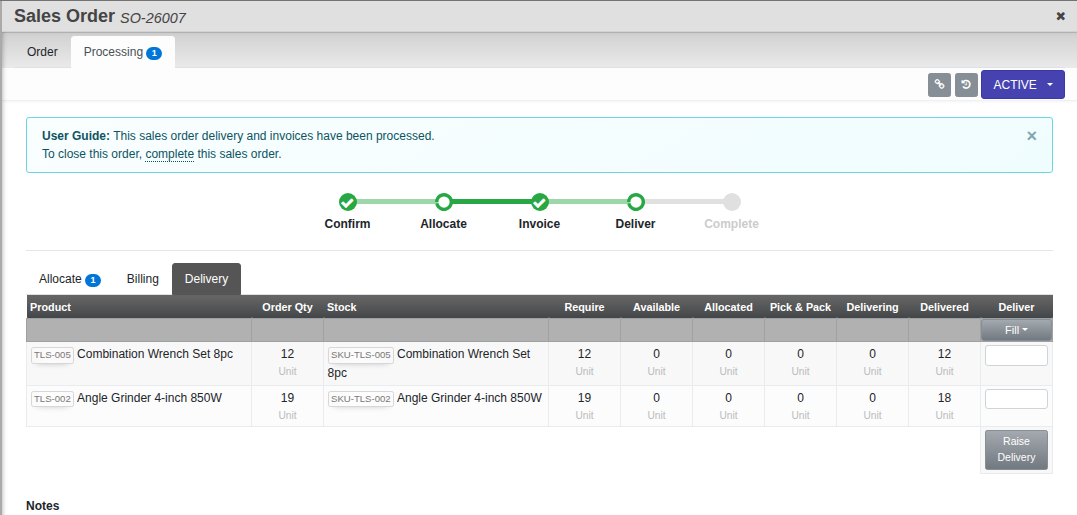
The Delivery tab creates delivery orders and tracks goods from Pick & Pack through to Complete.
Open the Delivery tab
Open the sales order, go to Processing, then Delivery.
Steps
- Use Raise Delivery to create a delivery order for the lines you are sending.
- Move it through its states: Pick & Pack, Delivery, then Complete.
Good to know. Delivering reduces the reserved stock and records the movement, so your inventory stays accurate.