Learn the concept
This is the step-by-step. For what it is and how it fits the bigger picture, read Request Quote (RFQ) in the reference.
This is the step-by-step. For what it is and how it fits the bigger picture, read Request Quote (RFQ) in the reference.
What this does
A Quotation Request (RFQ) asks a vendor to price what you need. You then record what they quote back and compare before committing to buy.
Open Quotation Request
Go to Menu > Purchase > Quotation Request and click Create.
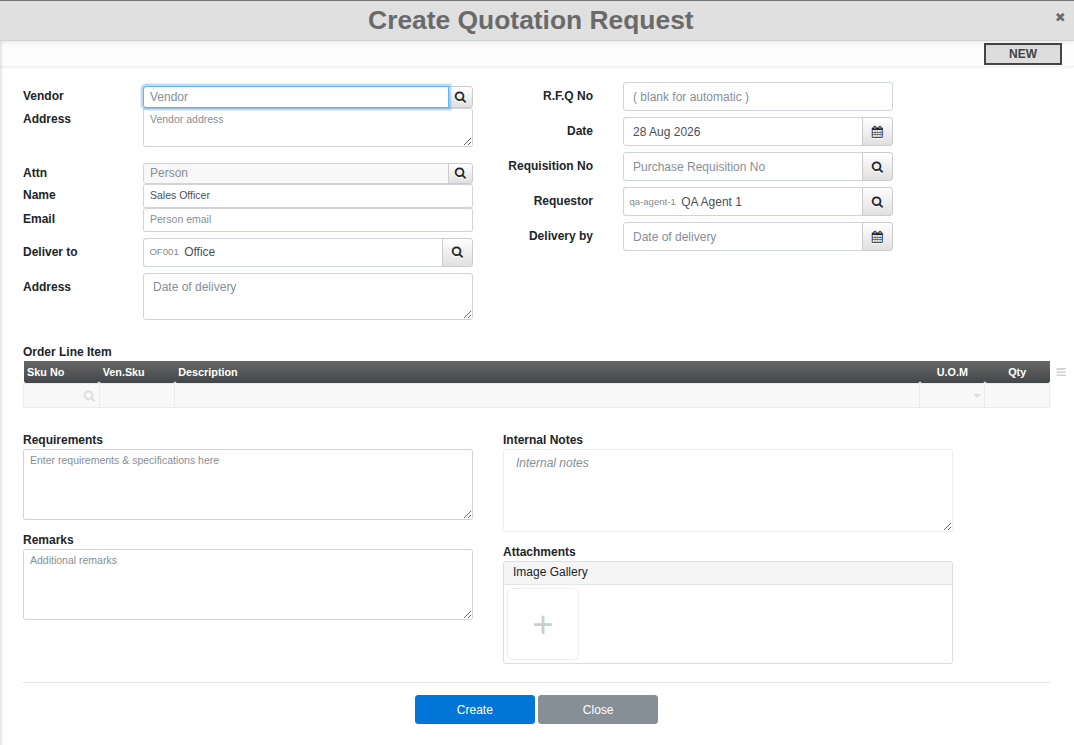
Steps
- Set the Vendor and a Delivery by date. Link a Requisition No if this RFQ is following up on one, and add an Attn contact if you have one at the vendor.
- Add the items you want priced to the Order Line Item table. If you generated the RFQ from a requisition, the lines already carry over.
- Confirm (or Submit for Review, depending on whether your organisation requires approval) to send it out.
- When the vendor replies, record it under Quotation Received, a separate screen reached from this RFQ, then turn the one you want into a purchase order.